


My vision board
A picture card for every dream, with an All tab and a tab for each of the 8 life areas. Add a card in a tab and it gets that area and a matching picture.
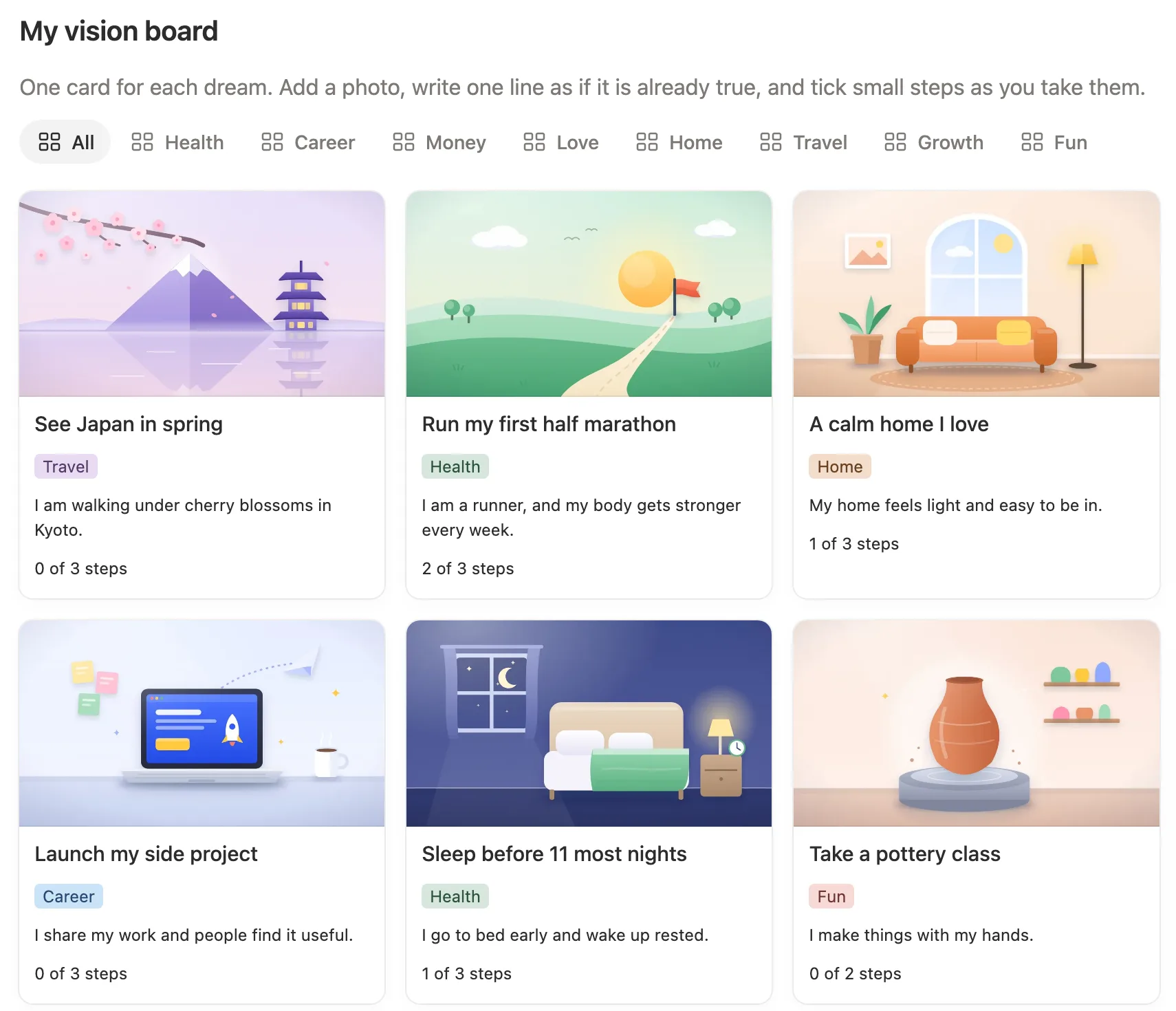

Give every dream a picture and a few small steps, and read a new affirmation each morning.
$8 One-time paymentInstant access

Magnet Creative Recommended Creator on Notion



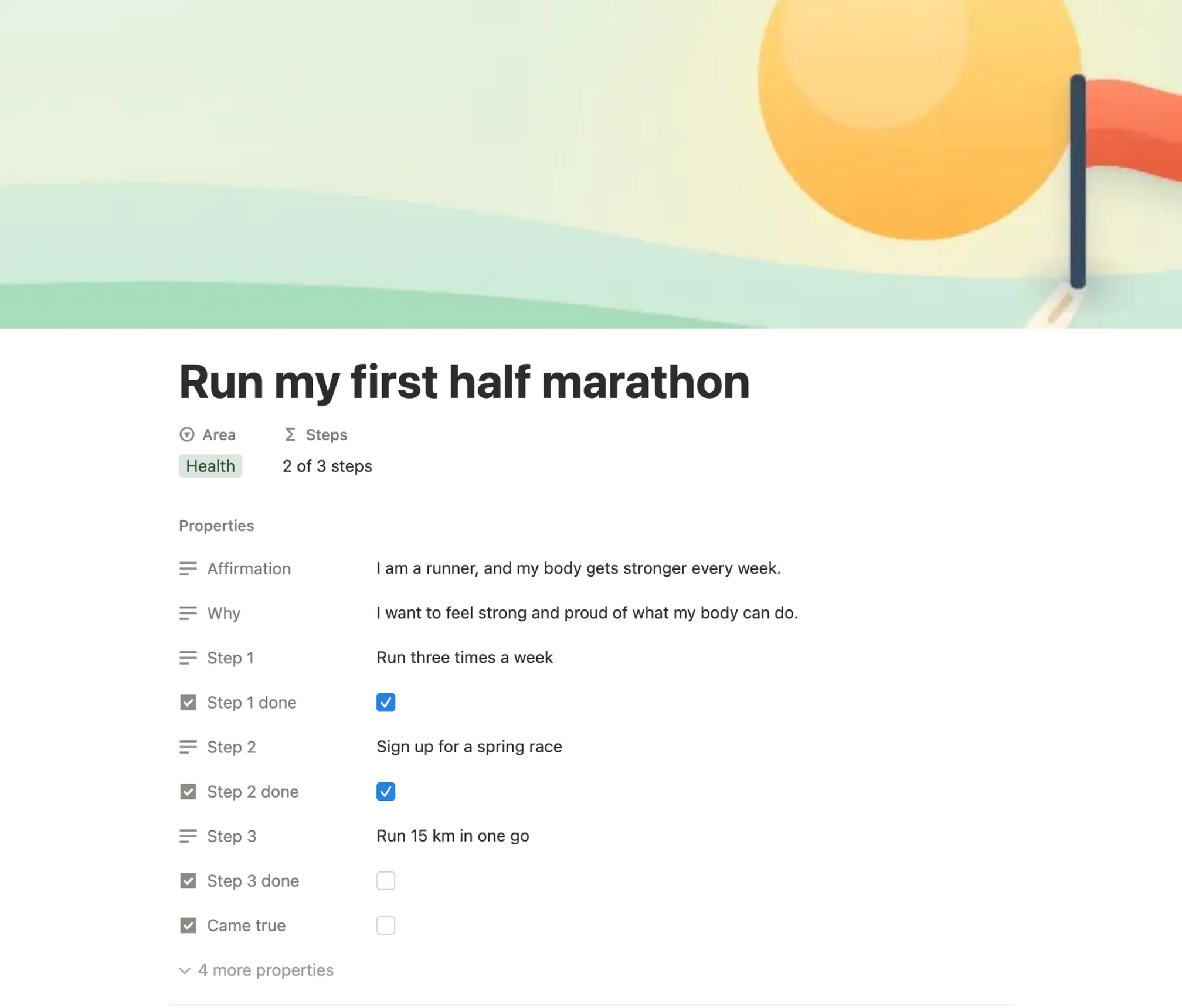
Run my first half marathon
AreaHealth
Steps2 of 3 steps
Came true in 2027
Pay off my credit card
Weekly date night
Run my first half marathon
The board, a dream card with its steps, the affirmation of the day and the Came true wall, all in the real template.

Before building it, we opened the most used Notion vision boards from last year, tried them, and read what their buyers wrote. These are the things we set out to add.
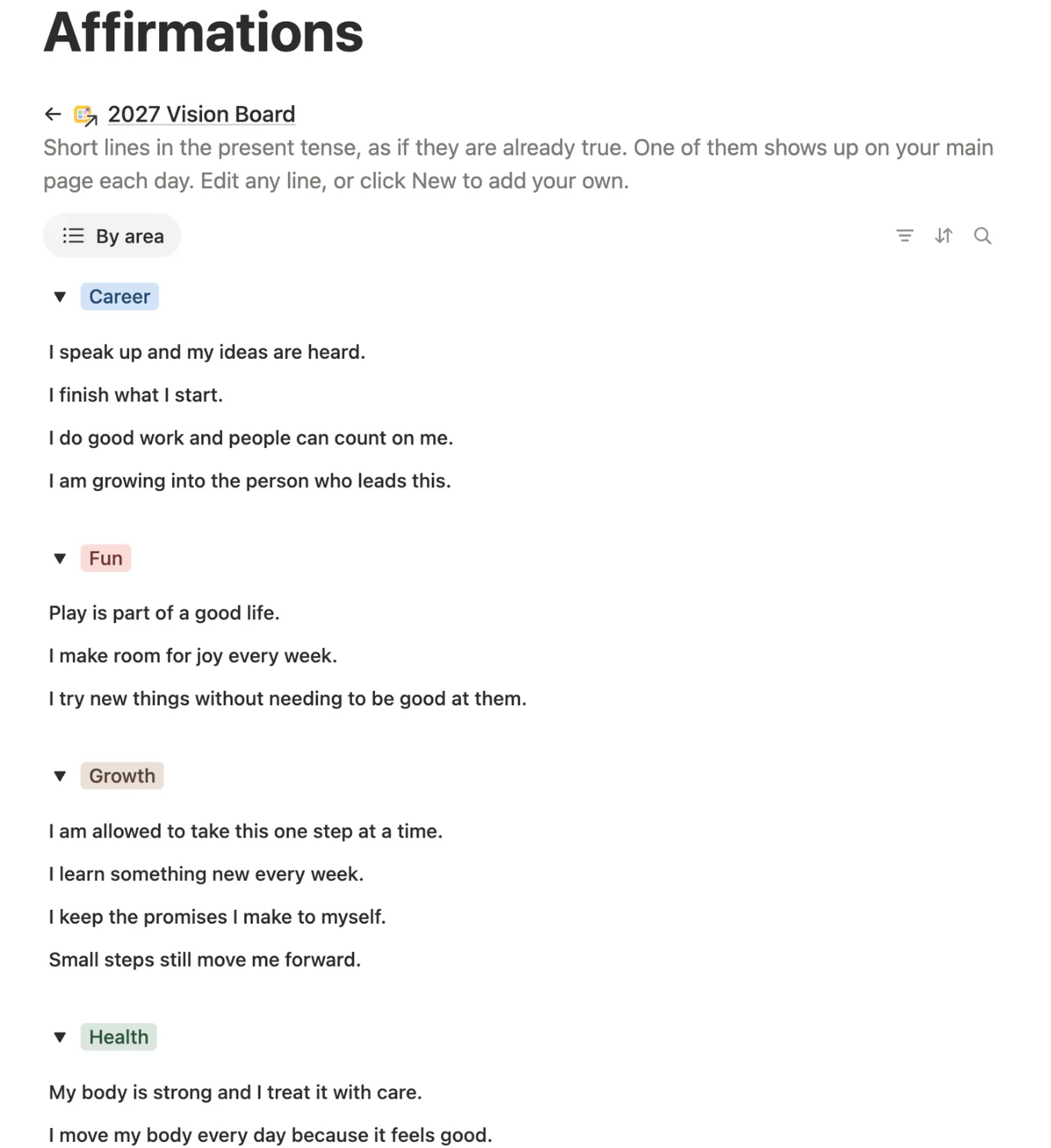
One line from your list shows on the main page and changes by itself each day. You never pick it by hand.
Each card has up to three small steps. Tick one and the card shows “2 of 3 steps”, so you see movement in March instead of waiting for December.
Tick Came true on a card and it leaves the board for its own wall. By December you can see what 2027 brought you.
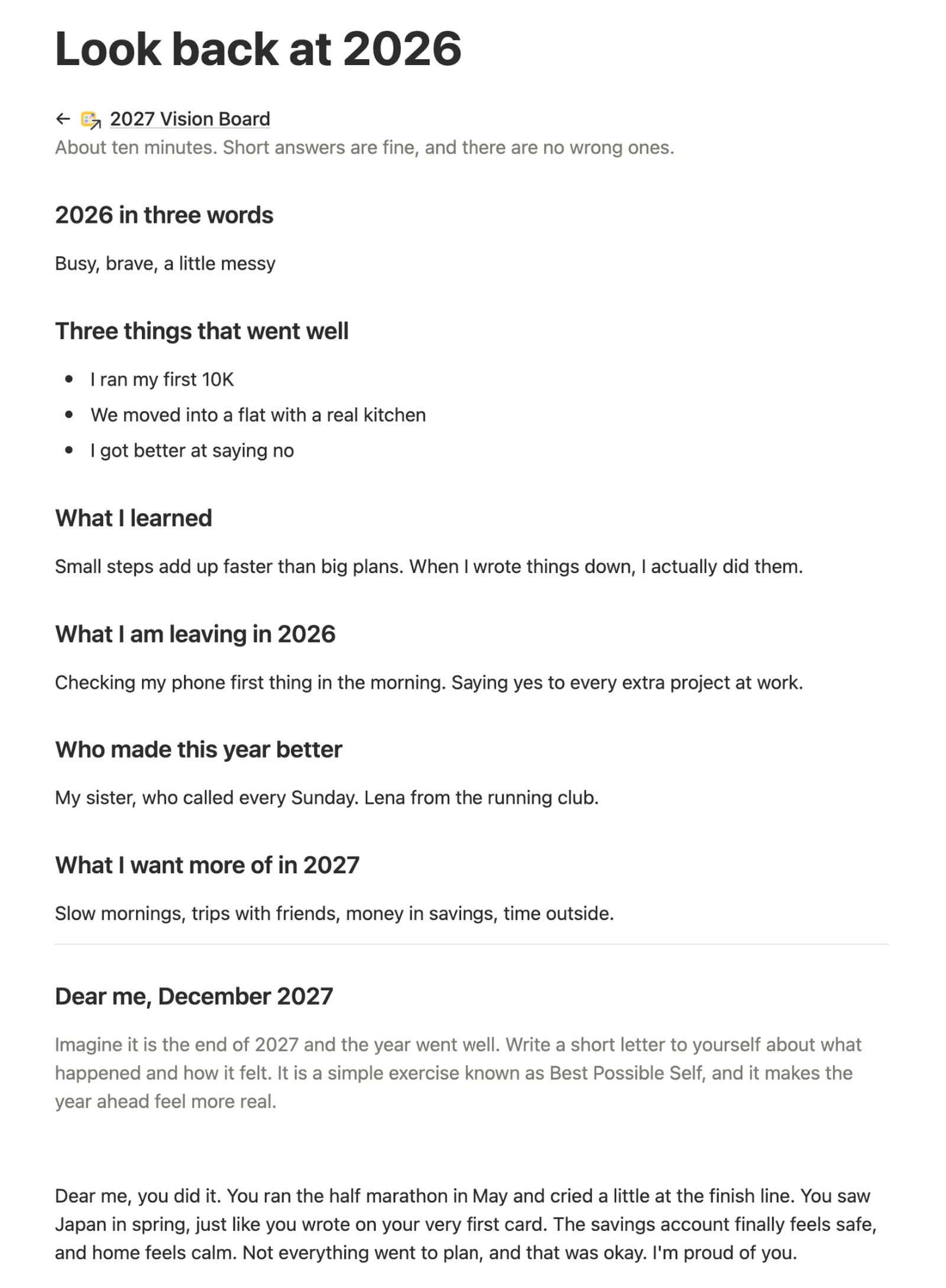
Six short questions about 2026 and a letter to yourself from December 2027, to help you choose what goes on the board.
We tested it from a fresh copy, the way you’ll get it: cleared the example cards, added new ones from the area tabs, and looked at the board at phone size. Anything that slowed us down, we fixed.
It all starts on one main page: your board at the top, then your word for the year, the affirmation of the day, this month and the Came true wall.
A picture card for every dream, with an All tab and a tab for each of the 8 life areas. Add a card in a tab and it gets that area and a matching picture.
Open a card to write one line as if it’s already true, why it matters to you, and up to three first steps with a tick box each.
30 short lines in the present tense, grouped by life area. The main page shows one each day. Change any of them, or add your own.
Your year in three words, what went well, what you learned and what you leave behind. Then a short letter from December 2027, written as if the year went well.
When a dream happens, tick Came true. The card moves off the board and onto this wall.

Each has its own tab on the board. Rename them or add your own.
With our own illustrations. One button clears them and keeps yours.
Three short questions, with a page for every month from October 2026 to December 2027.
Five setup steps inside your copy, with a picture of where to click.
Open the main page and read your affirmation of the day. It’s new every morning.
Took a step toward a dream? Open its card and tick it. The card shows how many steps are done.
At the end of each month, open This month and answer three short questions.
When something comes true, tick Came true and the card moves to its wall.
Do this once, ideally on a computer. After that, the board is ready on your phone too.
Buy it on the Notion Marketplace and add it to your workspace when Notion asks. A free Notion account is enough.
Open Start here, click Clear sample data, then confirm. The example cards go away. Cards you add yourself stay.

Open Look back at 2026 and answer a few short questions. Then click Steady on the main page and type your word for 2027.

On My vision board, open the tab for an area and click New. The card gets that area and a matching picture.

Name the card, write one line as if it’s already true, and add up to three small steps.

For your own picture, open the card, hover over the picture and click Change. Pick Unsplash for free photos, or Upload for your own.

Tick a step when you take it. When the dream comes true, tick Came true.

On your phone, add the main page to Favorites in the Notion app, so your board is one tap away.
It’s a vision board on your screen instead of your wall: pictures of what you want in your life, kept where you’ll see them often. In Notion each picture can also hold your reason and your next steps.
Yes. It runs on galleries, formulas, relations and one button, all part of the free plan. There are no charts, widgets or embeds.
Of course. Inside a card, point at the picture and choose Change. Upload any image, or search free Unsplash photos without leaving Notion. On the free plan, uploads can be up to 5 MB.
A formula picks a different line from your list each day, on its own. Lines you add join in.
No. The example cards have no dates, the monthly check-ins run through December 2027, and the affirmation changes every day. Start whenever you like.
Yes. Setup is easiest on a computer. The phone view lines the cards up one under another, with the area menu at the top.
A goal planner starts from lists and dates. This board starts from pictures: each dream is an image you’ll want to see often, with only a few small steps behind it.
From the Notion Marketplace, Notion adds it to your workspace right away. From Etsy, you download a PDF with the template link, open it and click Duplicate.
Email us at hello@magnetcreativestudio.com with the template name and what you see, and we’ll help you get it working.
| Database | What it holds |
|---|---|
| Visions | Your dream cards with area, picture, line, why, three steps with done boxes, Came true and the date it came true. |
| Affirmations | The 30 lines with their life area. One of them is picked for today. |
| Months | October 2026 to December 2027, each with three check-in questions. |
| Year | One 2027 row that ties everything together and works out which affirmation is today’s. |
Pay once, set it up in about five minutes and add your first dream. Then come back each morning for your affirmation.
$8 One-time paymentInstant access
