Today’s card
Each day gets its own card with your habits on it. Tick what you did. The score ring and streak update right away.
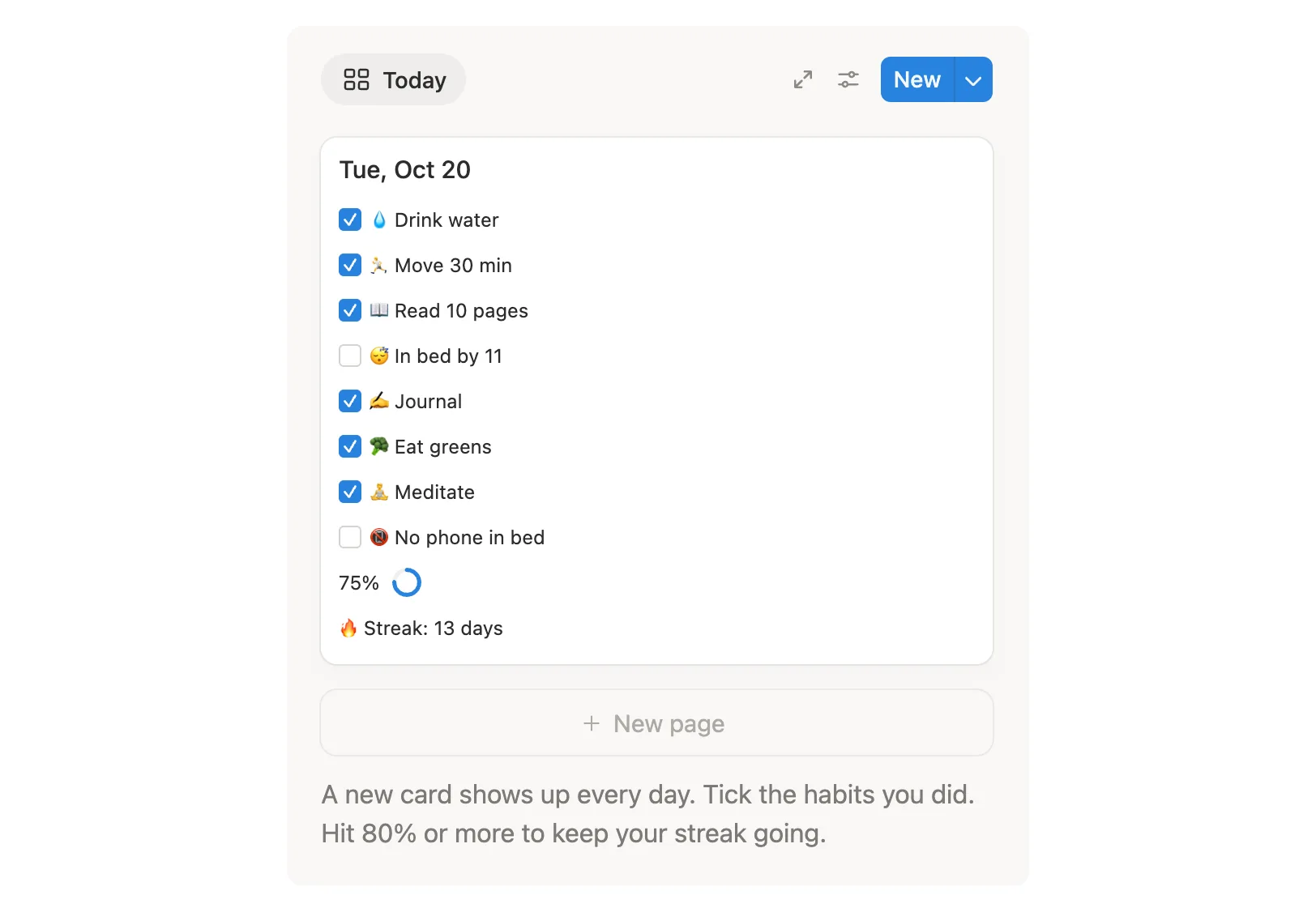

Tick your habits in seconds. Your streak, week and year fill in on their own.
$9 One-time paymentInstant access

Magnet Creative Recommended Creator on Notion



Tue, Oct 20
75%
Streak: 13 days
A new card shows up every day. Tick the habits you did. Hit 80% or more to keep your streak going.
Today’s card, the streak, and the week, month and year views, shown in the real template.

This is our fifth year of making habit trackers for Notion. We built this one from scratch, around what people asked us for.
Many trackers make you copy a new table each week or tick the same habit in two places. Here you tick once on today’s card, and your week, month and year fill in from it.
Every day through December 31, 2027 is already there, plus warm-up months from October 2026. No new week to copy, no new month to build.
We first built today’s view as a table and tried it in the Notion phone app. It made you scroll sideways, so we rebuilt it as a card that fits the screen.
Any day at 80% or more counts toward your streak, so skipping one habit on a hard day doesn’t send you back to zero.
We set it up from a fresh copy, the way you’ll get it, and used it on a computer and in the Notion phone app. Every fix from those tests is in the copy you get.
It all lives on one page, and every day through 2027 is already there, so you never set up a new week or month. Tick boxes on today’s card and the week, month and year views fill in from those ticks.
Each day gets its own card with your habits on it. Tick what you did. The score ring and streak update right away.
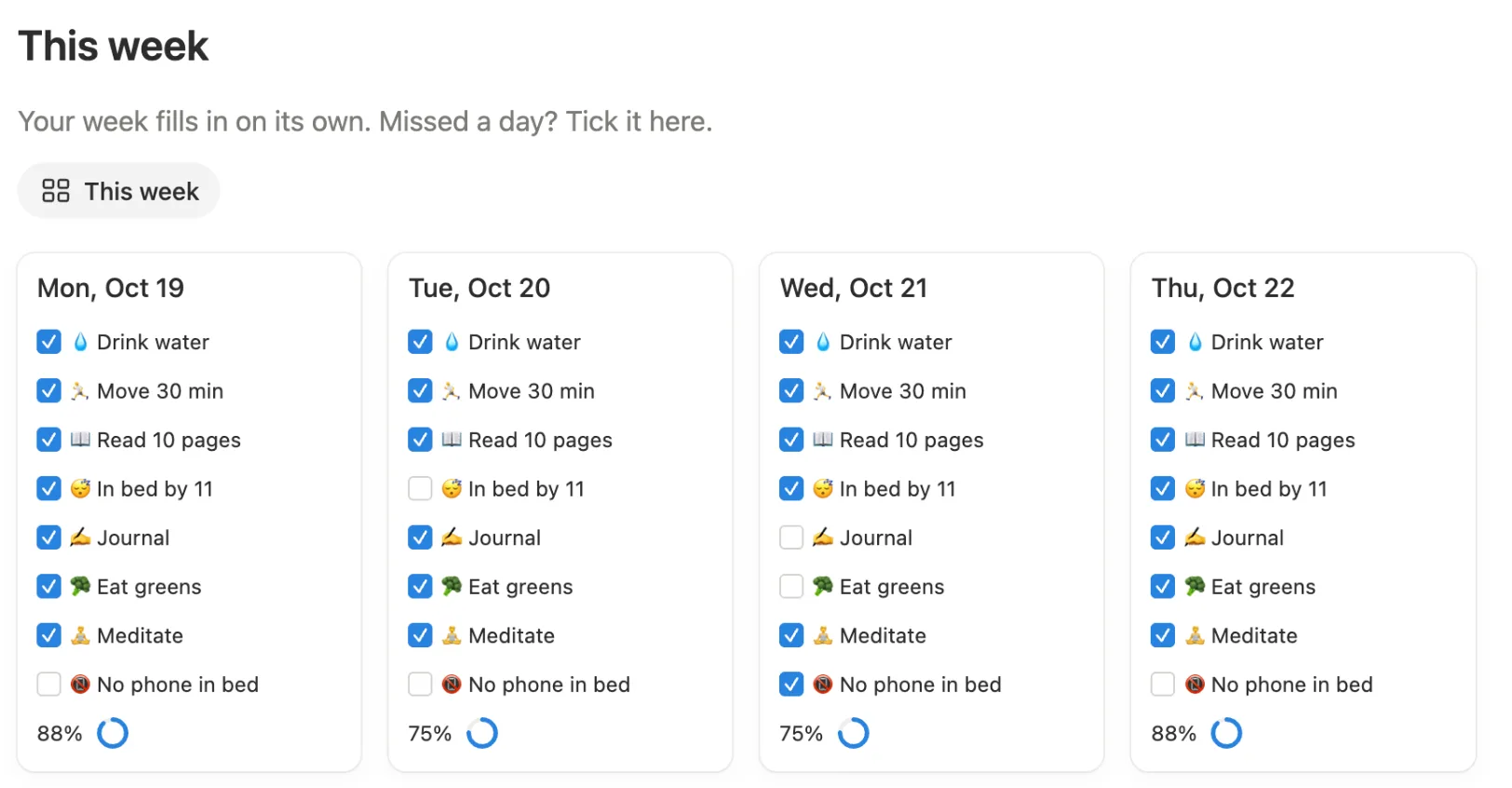
Your week as seven cards, Monday to Sunday. Forgot to check in yesterday? Tick it here. A day late is fine.
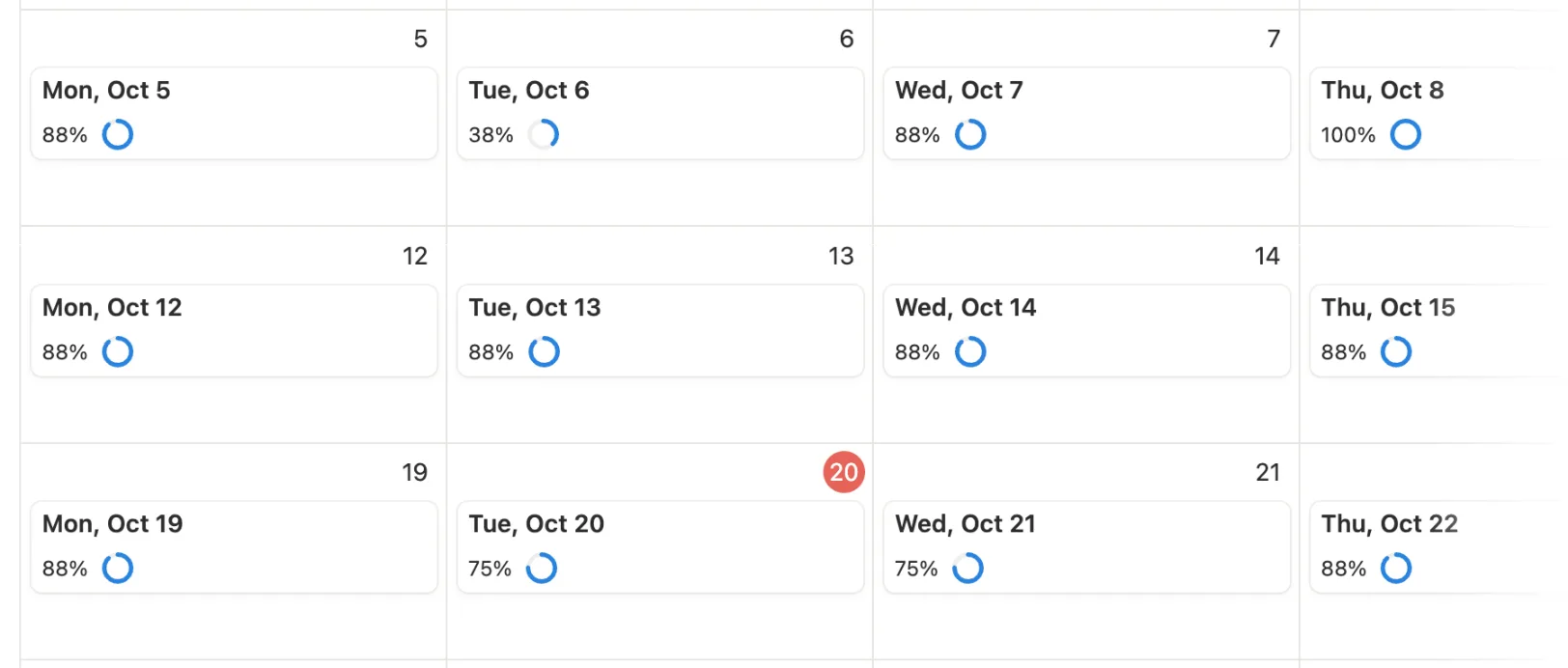
The month as a calendar, with your score on each day, so good weeks and rough patches are easy to spot. Click a day to add a short note.
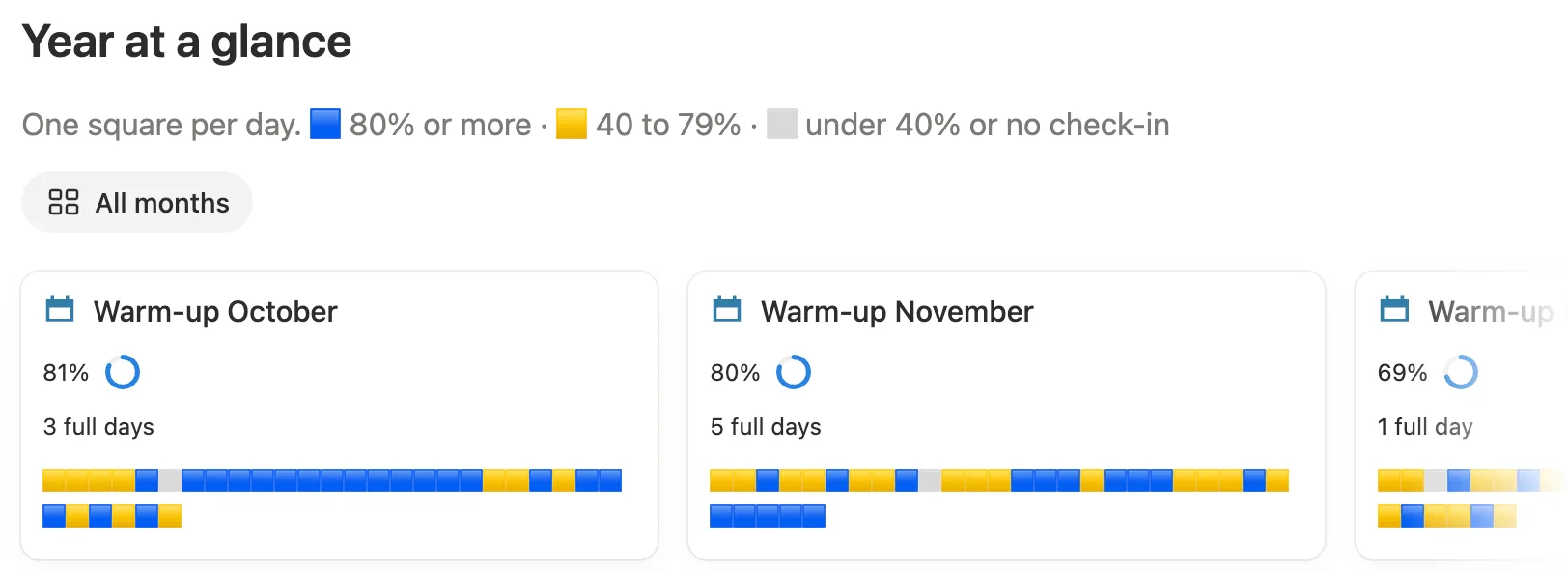
Each month gets a card with a square for every day. A blue square is a day at 80% or more. Yellow is 40 to 79%. Gray is anything lower, or no check-in.
Every week comes with its own review page. It asks what went well, what got in the way and one small change to try. Each month gets three questions of its own.
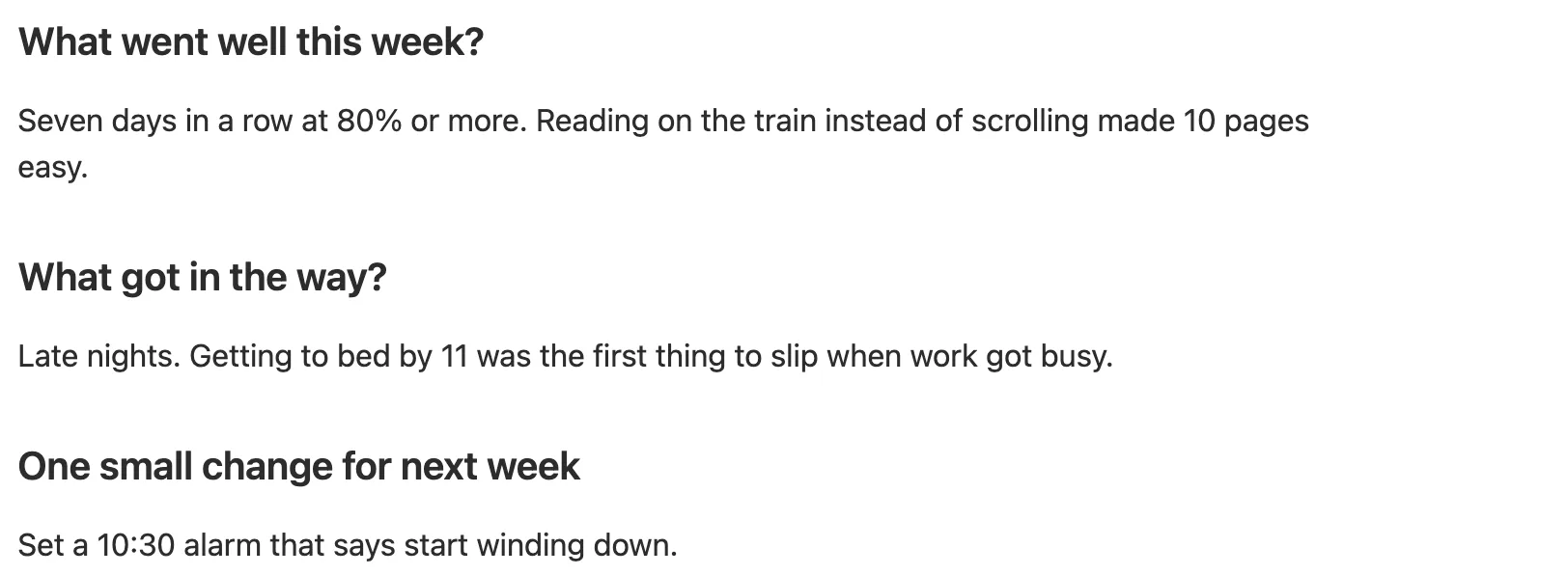
Rename any of them to fit your own routine.
Hidden until you switch them on.
October to December 2026, so you can start before January.
From October 2026 to January 2027. One button clears them all.
With a screenshot for each setup step.
Open the main page on your computer or in the Notion phone app. Today’s card is right at the top.
Tick the box next to each habit you did today.
Get to 80% or more and your streak grows by one. Tick every habit and it counts as a full day.
Missed a day? Tick it in This week, or click that day in This month.
You do this once, ideally on a computer. After that, your phone is all you need.
Buy the template on the Notion Marketplace. You need a Notion account, and the free one is fine.
After you pay, follow Notion’s prompt to add the template to your workspace. That gives you your own copy. Open it and click Start here.
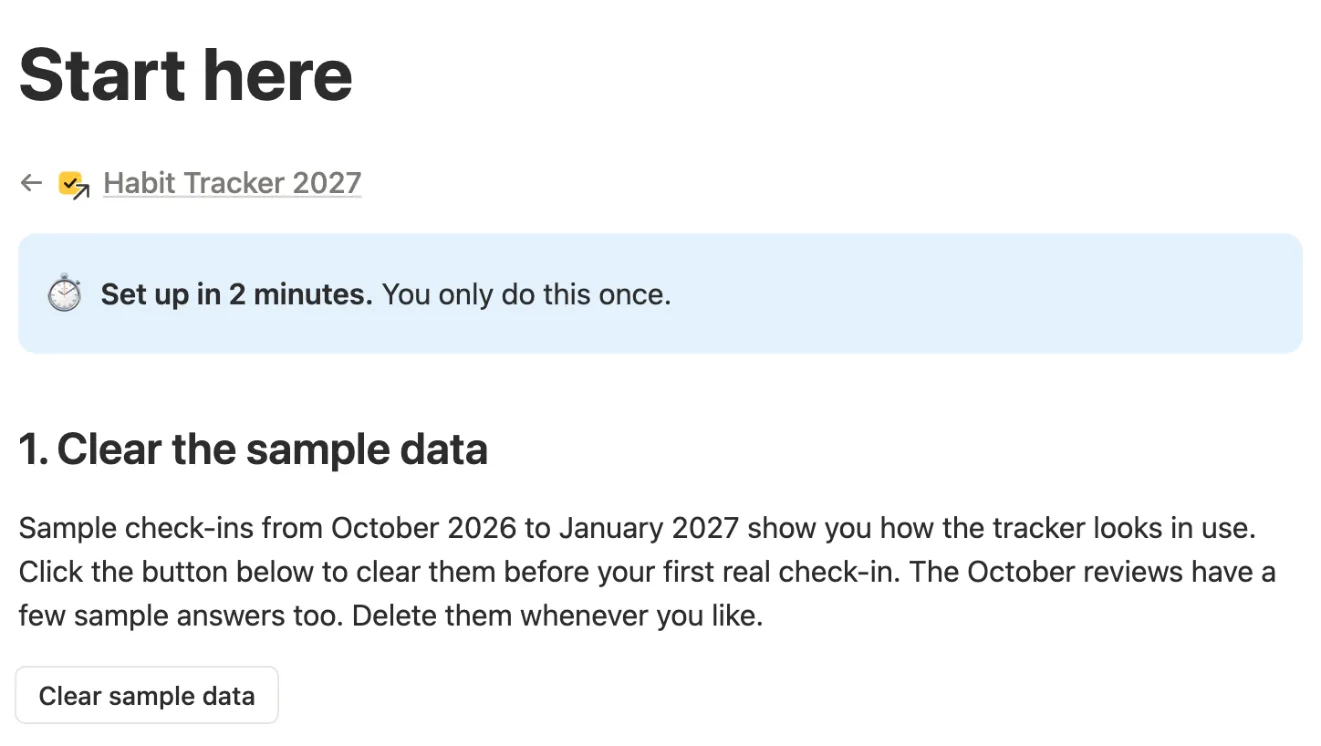
Click Clear sample data, then Clear it. Do this before you tick anything yourself, because it clears every tick from October 2026 to January 2027.

Back on the main page, click the date on today’s card. The day opens as its own page.

Click a habit’s name, pick Rename and type your own.

Open My settings and set Number of habits to how many you track. Your daily score is based on this number.

There are 10 habit slots: the 8 you start with and 2 extras. The Start here page shows how to switch them on or off.
Yes, on a free personal plan. It doesn’t use charts or any other feature that needs a paid plan.
Yes. Do the 2-minute setup on a computer first, because a few steps need a mouse. After that, the Notion app is enough: open the tracker and tap each habit you did. Add the page to Favorites to get there in one tap. Keep the Notion app updated so your ticks sync right away.
If you buy on the Notion Marketplace, it goes into your Notion workspace. If you buy on Etsy, you get a PDF with a link to the template. Open the link and click Duplicate to copy it into your Notion.
Yes. Start on any day. The months before you start just stay empty. The tracker runs until December 31, 2027, and after that it stays as a record of your year.
If you did your habits but forgot to tick them, tick them later in This week, or click that day in This month. Once that day reaches 80%, your streak is back. If you really skipped it, your streak starts again from the next day you reach 80%.
Yes. There are 10 habit slots. Hide any habit you don’t want, or show one of the 2 extras. Then set Number of habits in My settings to match. Need more than 10? See For power users below.
Yes. Day to day you only tick boxes. The Start here page walks you through setup with screenshots, and the New to Notion box on this page explains the words you’ll see.
Email us at hello@magnetcreativestudio.com with the template name and what you see, and we’ll help you get it working.
To show or hide one of the 10 habit slots:
Hover over today’s card and click the settings icon, the two small sliders at its top right.

Click Property visibility.

Click the eye next to a habit to show or hide it. Do the same in This week. If you’re still setting up, change Number of habits to match.

Quitting a habit? Hide it instead of deleting it. Deleting a habit removes its old ticks and breaks your scores. To keep older scores right, leave Number of habits as it is and use a free slot for the new habit.
| Database | What it holds |
|---|---|
| Days | One page per day from October 1, 2026 to December 31, 2027. Holds your ticks, a note, the score and the streak. |
| Weekly reviews | One page per week with three questions and the week’s average score. |
| Monthly reviews | One page per month, plus the three warm-up months. Shows the average score, full days and a square per day. |
| Settings | A single row, My settings, with Number of habits and your current streak. |
Pay once, set it up in 2 minutes and tick your first day. Every check-in colors one square of your year.
$9 One-time paymentInstant access
