My 2027 goals
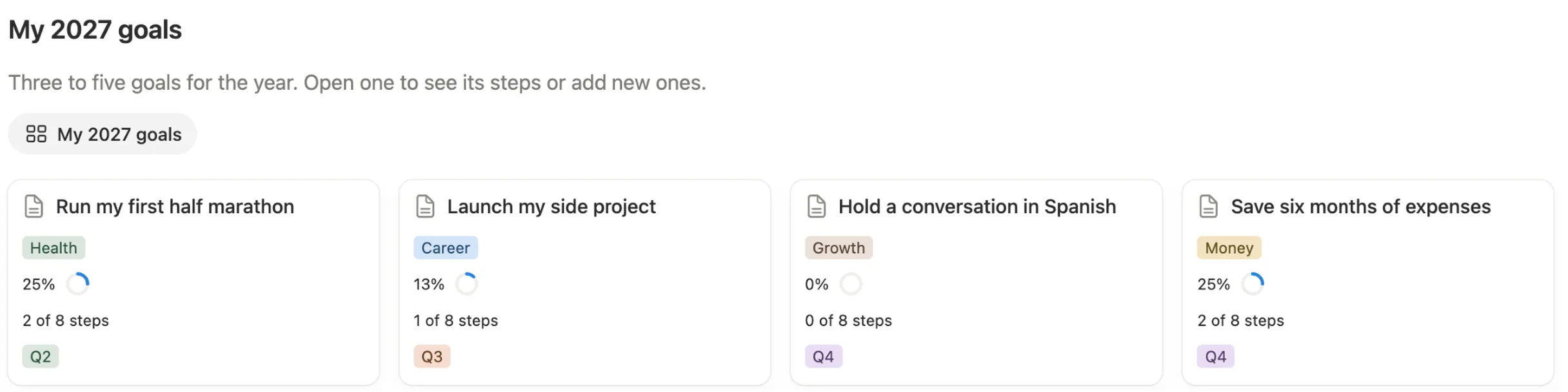
One card per goal, with its life area, a ring that shows how far along it is, how many steps are done and the quarter you aim to finish it in.

Break each goal into small steps. Tick one off and the goal, its month and its quarter update together.
$7 One-time paymentInstant access

Magnet Creative Recommended Creator on Notion



Hold a conversation in Spanish
Launch my side project
Run my first half marathon
Hold a conversation in Spanish
Growth
0%
0 of 8 steps
Q4
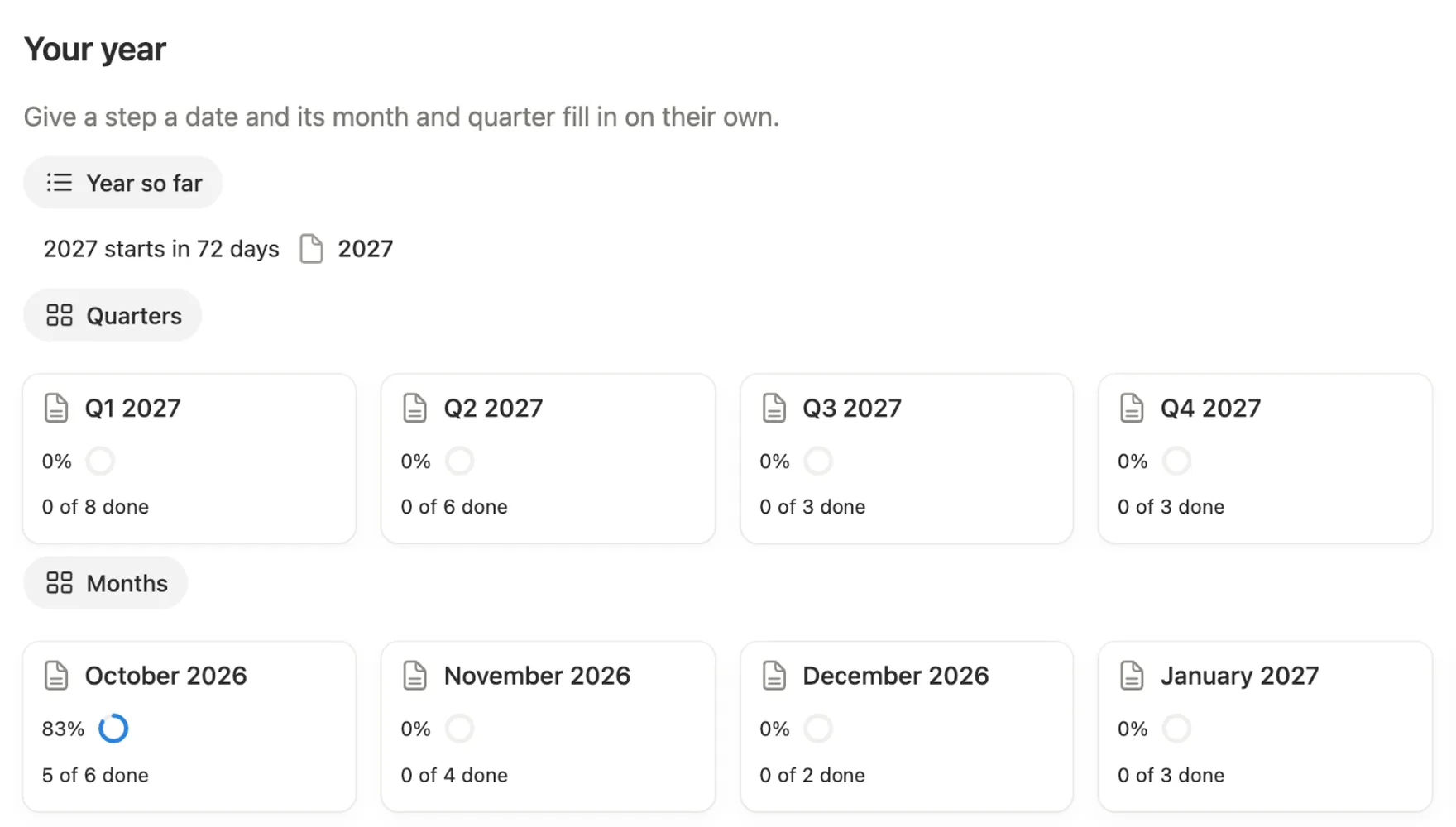
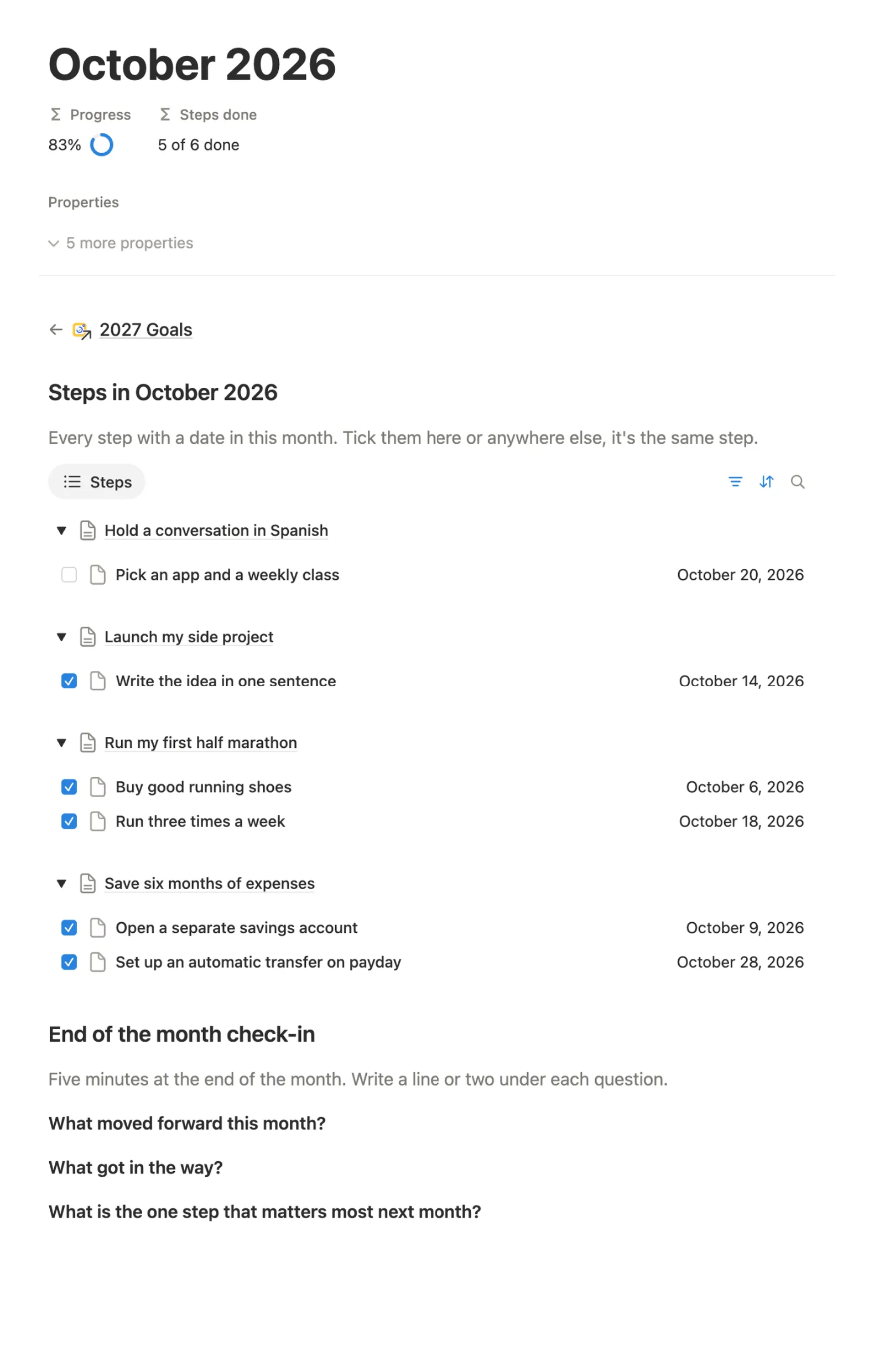
October 2026
83%
5 of 6 done
Goal cards, a goal’s steps, This month and the year view, all in the real template.

Before building it, we opened the most used Notion goal templates, set goals in them, and read what their buyers wrote. These are the things we set out to do better.
Give a step a date and it counts toward that month and quarter. You never link a task to a month by hand.
A goal’s ring fills in from the steps you tick, so you see how far along you are without doing any math.
Month cards run from October 2026 to December 2027. Start in any month; past months with no steps hide themselves.
On a phone the page stacks with your goal cards on top, and you can tick a step right in This month.
We tested it the way you’ll get it: a fresh copy, cleared examples, a new goal with its own steps, and a step moved to a past month to see it land in Catch up. We checked it at phone size too, and fixed what got in the way.
Everything sits on one main page. Your goals at the top, this month’s steps below them, and your year at the bottom. Open any card for the details.
One card per goal, with its life area, a ring that shows how far along it is, how many steps are done and the quarter you aim to finish it in.
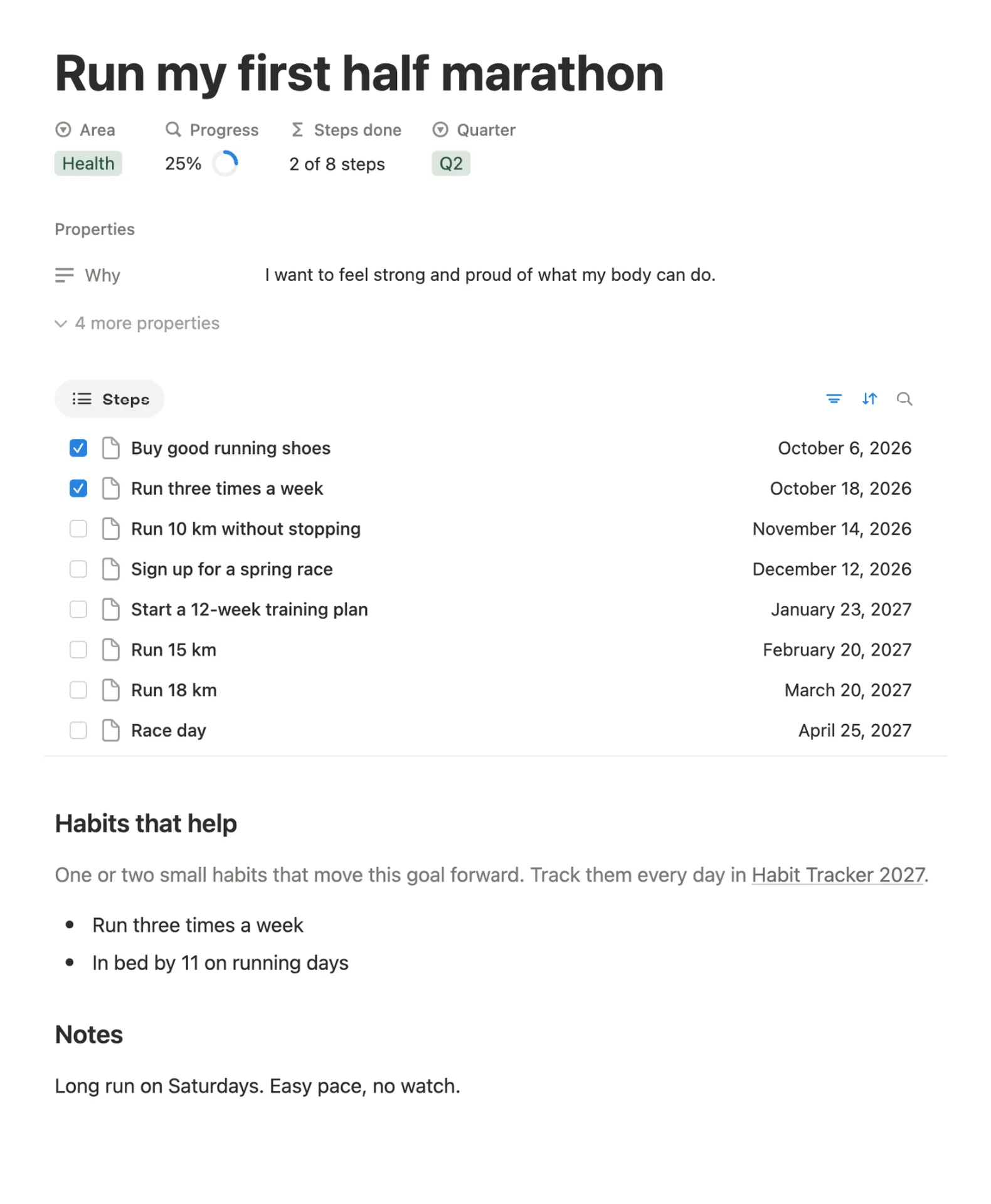
Write down why the goal matters to you, list its steps in date order with a tick box each, and keep a few habits that help and any notes.
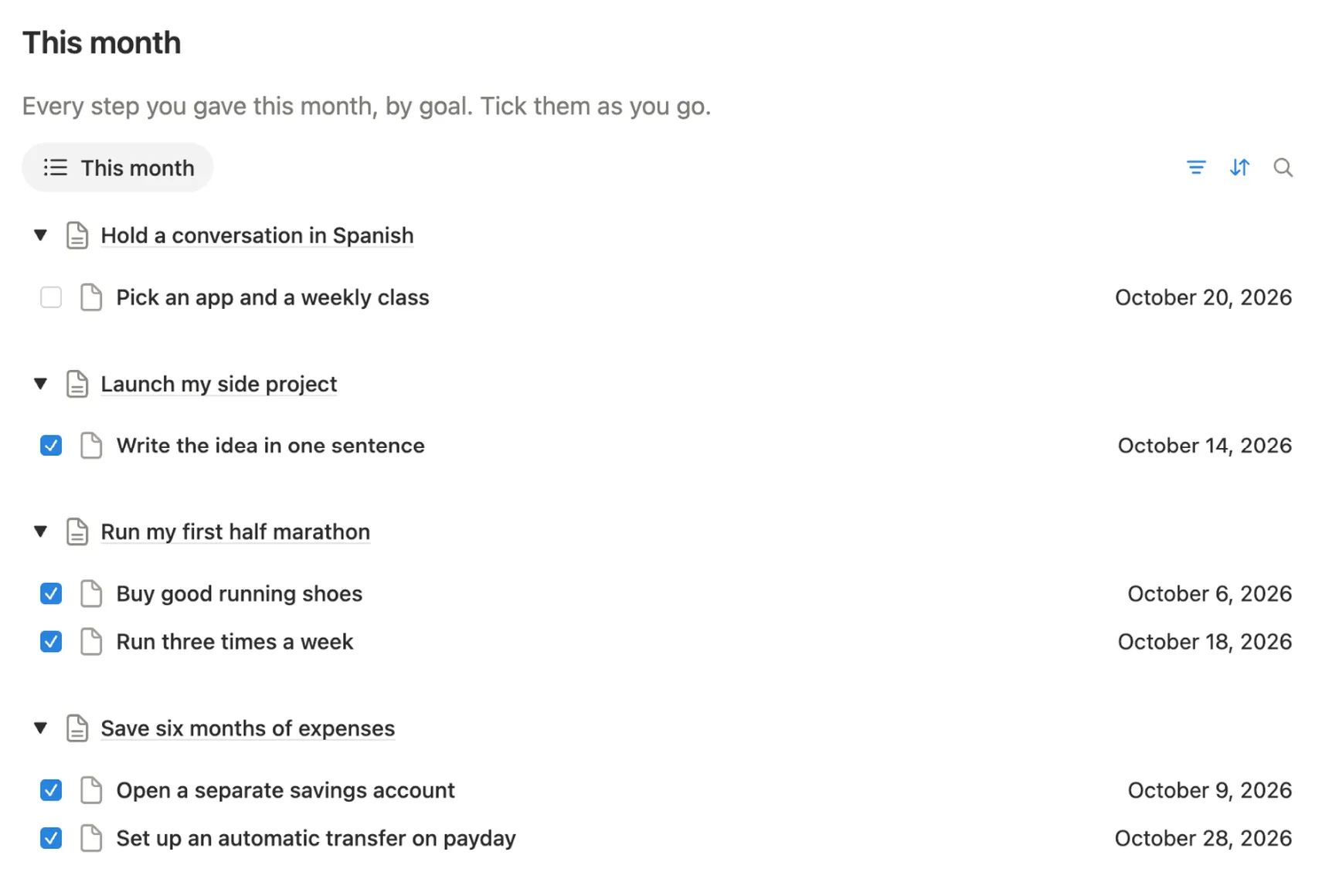
All the steps dated this month, grouped by goal. Tick one here or on its goal page; it’s the same step. Next to it, Catch up holds open steps from past months.
A countdown to 2027 that shows how much of the year is behind you once January comes. Below it, every quarter and month gets a card with its own ring.
Each month gets a page with its steps and a short review: three questions on what moved forward, what got in the way and what comes next.
Each goal gets one. Rename them or add your own.
A focus line for each quarter of 2027, its steps and a short check-in.
4 example goals with 32 steps to look around in. One button clears only the examples.
Every setup step inside your copy, with a picture of where to click.
Open a goal and add a few small steps. A new step starts with today’s date, so move it to the day you plan to do it.
Once a week, open This month and tick what you’ve done. The goal’s ring and the month card move with it.
Missed a step? It waits under Catch up until you tick it or give it a new date.
When a month ends, open its page and answer the three check-in questions.
You do this once, and it’s easiest on a computer. After that, ticking off a step takes a second on your phone.
Buy it on the Notion Marketplace and add it to your workspace when Notion asks. A free Notion account is enough.
Open Start here, click Clear sample data, then Clear them. The 4 example goals and their steps go away. Anything you add yourself stays.

Under My 2027 goals, click New and add 3 to 5 goals. Give each one a life area and a quarter.

Open a goal and click New under Steps. Add small steps and move each date to the day you plan to do it.

Each week, tick the steps you’ve done in This month.

Watch the months fill in under Your year. When one ends, open its page and answer the check-in.

On your phone, add the main page to Favorites in the Notion app, so This month is always one tap away.
Yes. It’s built from relations, rollups, formulas and one button, all on the free plan. No charts, widgets or add-ons.
Each step has a date and a tick box. A goal’s ring counts its ticked steps. A month or quarter counts the steps dated inside it, so you never type a number.
Three to five is a good number. Enough to cover what matters most, and few enough to move each one forward. You can add more if you like.
A goal is what you want done by the end of a quarter, say “Run my first half marathon” by Q2. A step is one thing you can do on a set day, like “Buy good running shoes”.
Yes. Month cards run through December 2027 and nothing needs resetting. Past months without steps hide themselves, so the page looks tidy whenever you begin.
Yes. Setup is easiest on a computer. In the Notion app your goal cards come first, and you can tick steps straight from This month.
Check the step’s date. A step counts in the month and quarter of its date, so a step dated in another month moves that month instead.
The month cards stop at December 2027. Your goals, steps and check-ins stay in your copy, so you can look back on the year any time.
From the Notion Marketplace, Notion adds it to your workspace right away. From Etsy, you download a PDF with the template link, open it and click Duplicate.
Email us at hello@magnetcreativestudio.com with the template name and what you see, and we’ll help you get it working.
| Database | What it holds |
|---|---|
| Goals | Your goals with their life area, quarter, why, and a ring from their steps. |
| Steps | Every step with its goal, date and a Done box. This one list feeds the goal pages, This month and Catch up. |
| Months | One page per month from October 2026 to December 2027, each with its ring, steps and check-in. |
| Quarters | Q1 to Q4 2027, each with a focus line, its steps and a check-in. |
| Year | A single 2027 row that ties months and quarters to your steps and runs the countdown. |
Pay once, set it up in about five minutes and add your first goal. Tick a step and watch it count.
$7 One-time paymentInstant access
