 What's a place where you feel calm?
A page and a question for every day
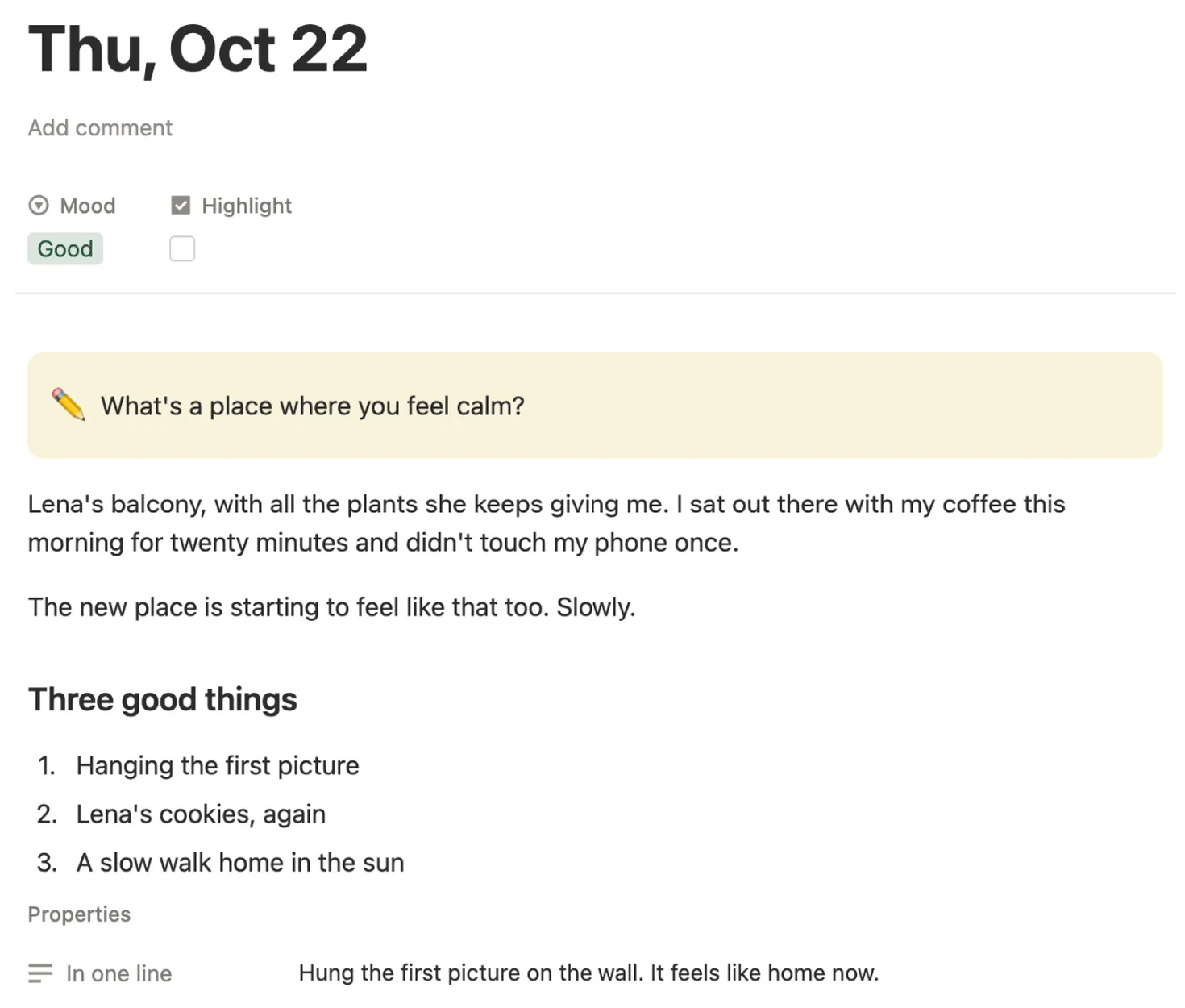
Tap the card under Today and today’s page opens with its question in a yellow box. Below it there’s room to write, three good things and In one line to sum up the day.

Answer one short question a day, pick a mood, and watch your year fill in with color.
$5 One-time paymentInstant access

Magnet Creative Recommended Creator on Notion



Thu, Oct 22
What's a place where you feel calm?
This month
October 2026
27 days written · mostly Good
Today’s page, picking a mood, the year in pixels and a month page, filmed in the real template.

Before we built it, we went through the most copied Notion journals and the year in pixels pages people use for moods. Most leave the dates, the questions and the coloring to you. We set out to do those for you.
All 457 days, October 1, 2026 to December 31, 2027, have a page waiting. You never type a date or make a page.
Each page opens with its own question. Months have a theme, and Sundays bring a short look back at the week.
Pick a mood on the day’s page and its dot takes that color on the month card. There’s nothing to paint by hand.
Tick Highlight on a day worth keeping. By December you have a ready list of the moments that made your year.
We ran it the way a new buyer would, from a fresh copy: cleared the sample days, wrote a few entries, picked moods and opened the main page at phone size. Anything that felt slow, we changed.
Everything lives on one main page: today’s card and this month at the top, then this week, your year in pixels and your highlights.
Tap the card under Today and today’s page opens with its question in a yellow box. Below it there’s room to write, three good things and In one line to sum up the day.
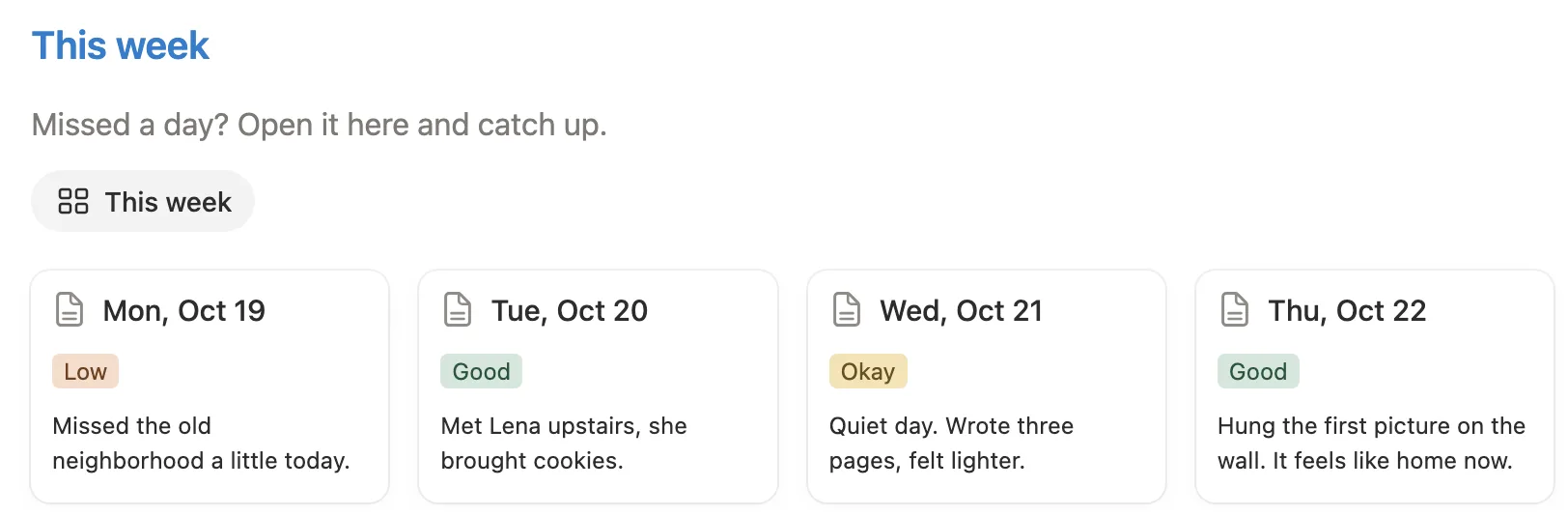
Seven cards with each day’s mood and its one line. Missed a day? Open its card and fill it in, or leave it empty. There are no streaks to break.
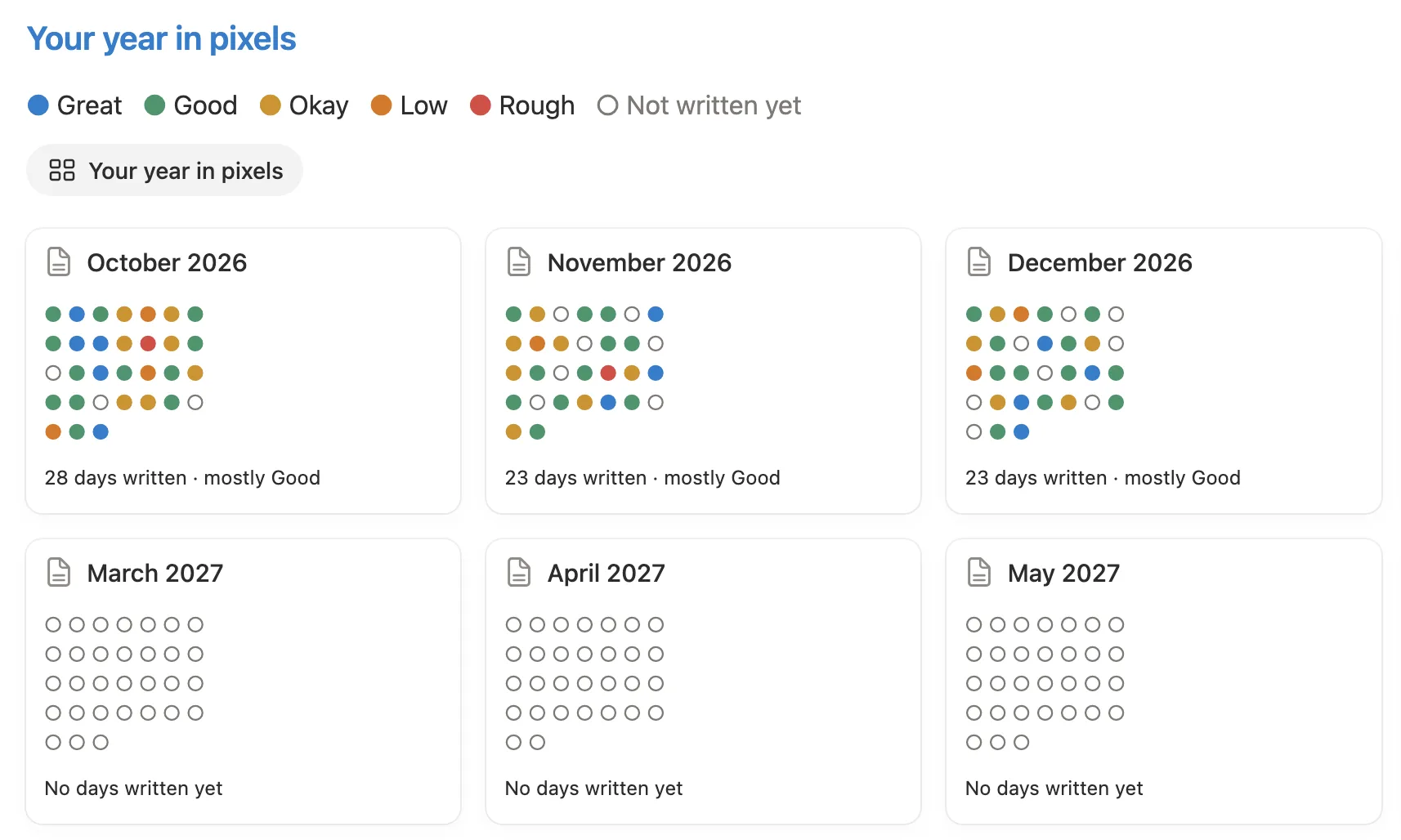
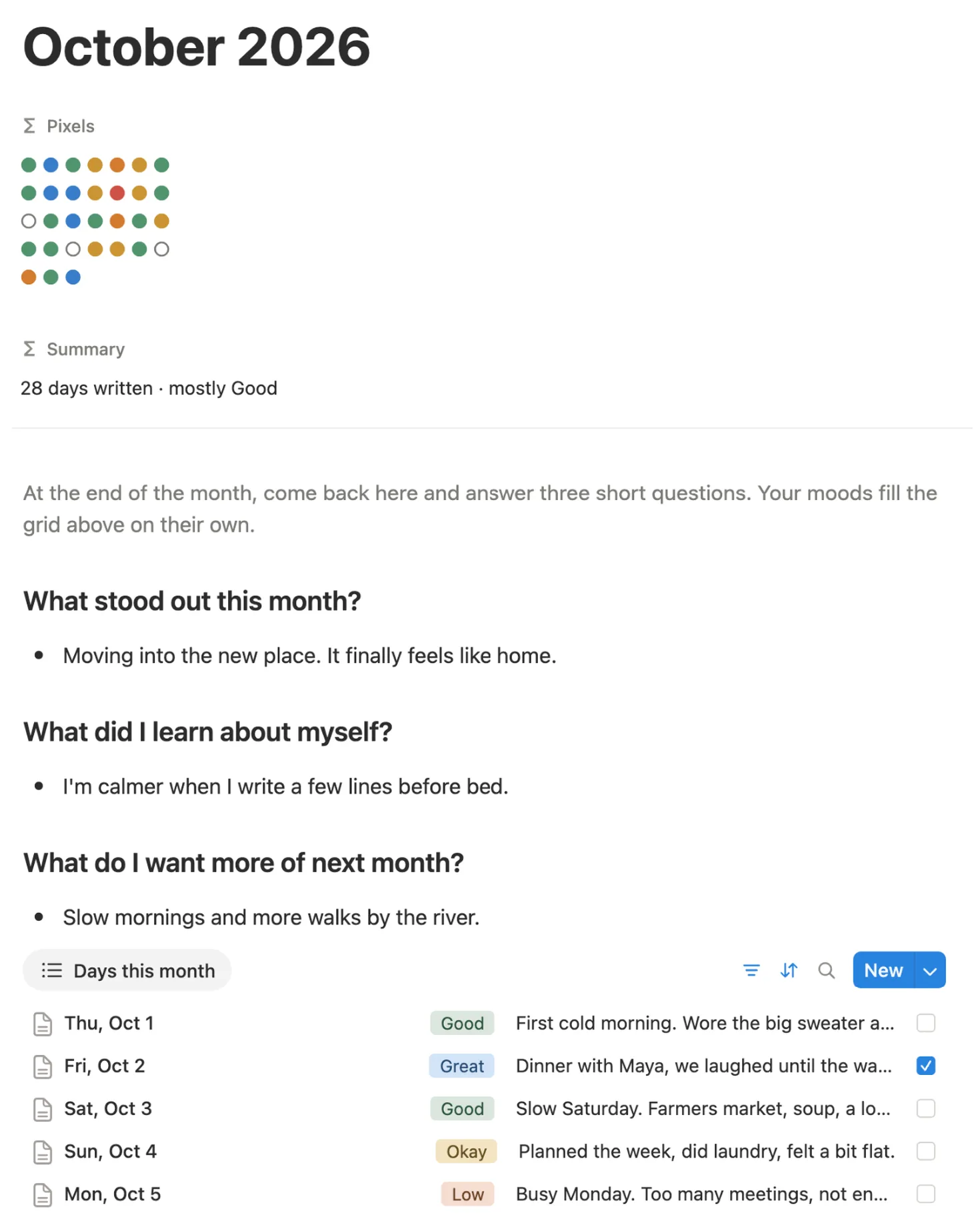
One card per month and one dot per day. Pick a mood and the dot turns blue, green, yellow, orange or red. Days you haven’t written stay as empty circles.
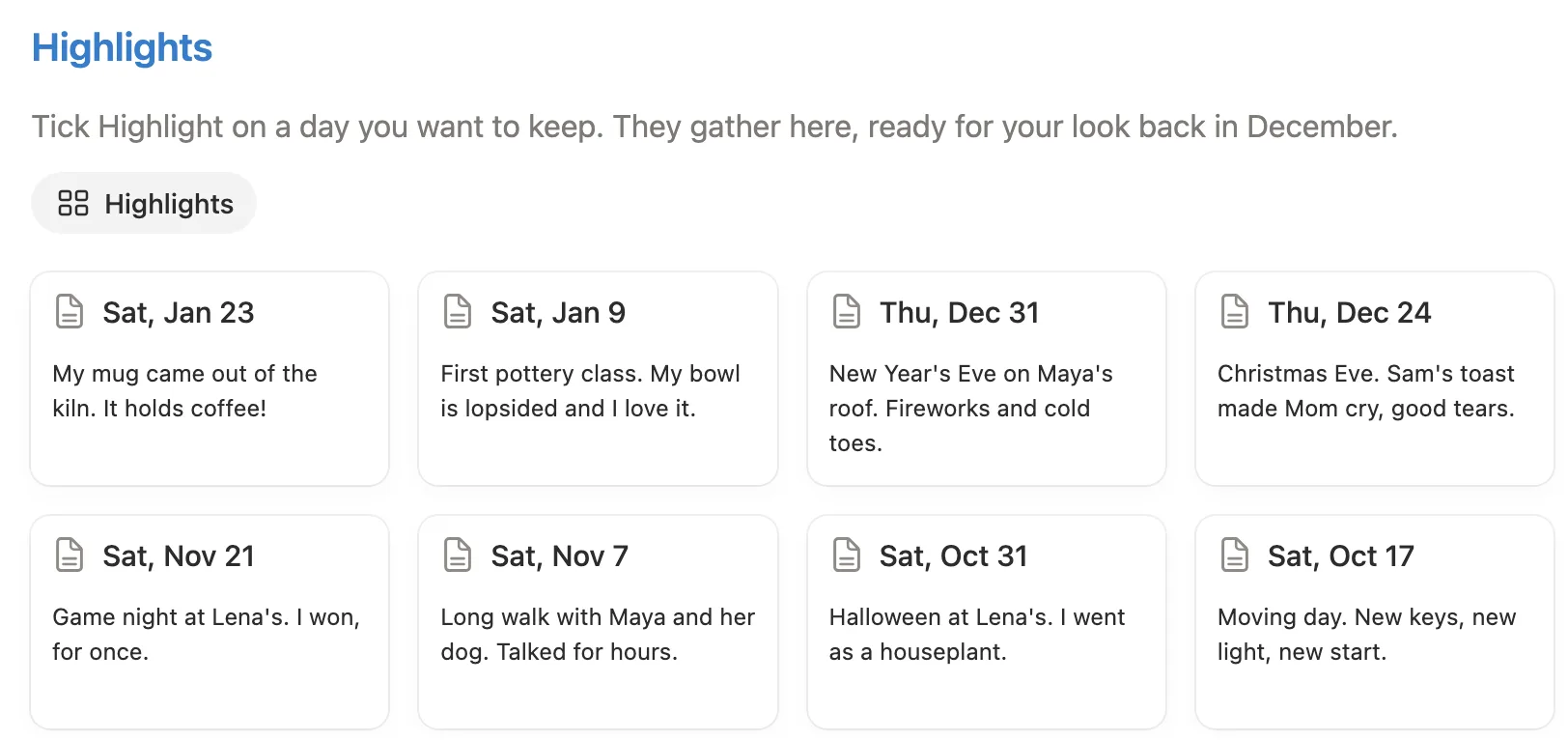
Tick Highlight on a day and it joins this list with its one line, newest first.
Your grid for the month, how many days you wrote and your most common mood. Then three short questions for the end of the month, and every day listed below.
Each has its own color on the grid. Keep the names as they are, because the grid reads them.
New beginnings in January, rest in July, gratitude in November, and so on.
October 2026 to January 2027 come filled in, so you can see a few months of use. One button clears them.
Four short steps inside your copy, with a picture of where to click.
Open the main page and tap the card under Today.
Read the question, write as much or as little as you like, and pick a mood.
Add three good things and fill in In one line. Tick Highlight if the day is worth keeping.
At the end of the month, open its card under Your year in pixels and answer three short questions.
Do this once, ideally on a computer. After that, write wherever you are, on your phone or at your desk.
Get it from the Notion Marketplace and add it to your workspace. A free Notion account works.
Open Start here and click Clear sample data before you pick your first mood. The sample moods, one-liners and highlights go away; every question stays.

Go to the main page and click the card under Today. Today’s page opens with its question at the top.

Write a few lines, then click Mood at the top of the page and choose how the day felt.

List three good things and sum up the day in In one line at the bottom. That line shows on your week and month cards.

On your phone, add the main page to Favorites in the Notion app, so today’s card is one tap away.
Short, everyday ones, like “What’s a place where you feel calm?” Each month has a theme, from new beginnings in January to closing the year in December, and every Sunday asks you to look back at the week.
No, and nothing counts streaks. Skip a day and its square stays blank. You can still add a line later, on the month page or in This week.
Yes. Every day until December 31, 2027 is ready, so start on any day. The months before stay empty, and that’s fine.
Yes. Click the yellow box and type your own, or skip it and write about anything. The card on the main page keeps the original question.
Yes. It runs on databases, formulas and one button, all part of the free plan. There are no charts, widgets or embeds.
Yes. Setup is easiest on a computer. Then add the main page to Favorites in the Notion app and open today’s card from there.
Yes. It sits in your own Notion workspace, and only people you share the page with can see it. We can’t see it either.
From the Notion Marketplace, Notion adds it to your workspace right away. From Etsy, you download a PDF with the template link, open it and click Duplicate.
Email us at hello@magnetcreativestudio.com with the template name and what you see, and we’ll help you get it working.
| Database | What it holds |
|---|---|
| Days | One row for each day from October 1, 2026 to December 31, 2027, with its question, mood, one line and highlight. The page holds what you write. |
| Months | October 2026 to December 2027. Each works out its grid and summary from the days in it. |
| Year | One row that ties the days and months together. |
Pay once, clear the sample days and open today’s page. The question is already waiting.
$5 One-time paymentInstant access
