Project pages
The row counter sits under the title, so it’s one tap on a phone. Below it are the status, craft, pattern, yarn and hook, the dates, who it’s for and what it cost, with room for notes.


Count rows on every project and keep your patterns, yarn, hooks and needles in one place.
$9 One-time paymentInstant access

Magnet Creative Recommended Creator on Notion



On the hook
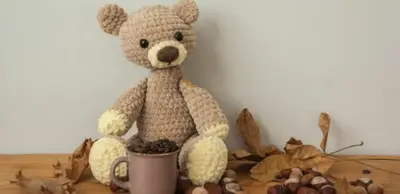
Little bear for Mia
Row 18 of 42
43%
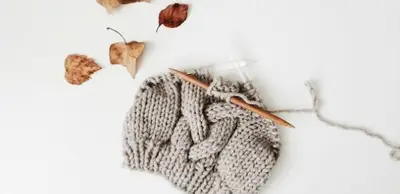
Cable beanie for Dad
Row 30 of 48
63%
Counting rows on a project, the yarn stash, the pattern library and what’s been finished, filmed in the real template.

Makers who review crochet templates ask for a progress bar on projects with a set number of rows, a separate place for finished work and a template that explains itself. This one starts from those three.
Click +1 row when you finish a row or round, and -1 row to take one back. Each project keeps its own count.
Type the pattern’s row count once. The card then reads Row 18 of 42 and the bar fills as you go.
Put skeins in Set aside and Free shows what’s still yours to use. One skein or less shows under Running low.
Set a project to Finished and it moves to the Finished gallery with its photo, the date and who it was for.
We set it up from a fresh copy, the way you’ll get it: cleared the sample, started a project from On the hook, counted the first rows from zero and brought the sample back.
The main page shows what’s on the hook, what’s up next, yarn that’s running low and what you’ve finished. Projects, Patterns, Yarn stash, Hooks and needles and Cheat sheets each have a page of their own.
The row counter sits under the title, so it’s one tap on a phone. Below it are the status, craft, pattern, yarn and hook, the dates, who it’s for and what it cost, with room for notes.
Tabs for In progress, Up next, Finished and Gifts, and a board by status that shows each project’s row and craft.

Each yarn with its weight and a summary like 4 skeins, 2 free, 920 yd. Running low lists what to buy before your next project.

Paste a link or upload the PDF. Each pattern has its type, yarn weight, hook size and difficulty, with tabs for Want to make and Favorites.

Every size you own in mm and US, with the type, material, how many you have and the projects that used it.

US and UK stitch names side by side, hook and needle sizes, and yarn weights from lace to jumbo.

Tick Gift and note who it’s for. Every gift, made or still on the hook, shows under the Gifts tab.
Add a cover to a project and the photo shows on its card and in Finished.
Add it to your Favorites and the row counter is one tap away.
Three projects on the hook, a small stash and a few finished makes show how it works. One button clears them.
Open your project and click +1 row at the end of each row or round.
Starting the next part, like a sleeve? Set Row back to 0.
Used some yarn? Lower Skeins so Running low stays right.
Done? Set Status to Finished and add the date.
You do this once. It’s easiest on a computer.
Buy it on Etsy and download the Start here PDF. Open the template link in it and click the Duplicate icon (two small squares) at the top. A free Notion account is enough.
Open Start here and click the button to clear the sample projects, patterns and yarn.
On the main page, click New under On the hook. Name it, pick the pattern, yarn and hook, and type the pattern’s rows in Rows total.

Click +1 row each time you finish a row or round. -1 row takes one back.

In Yarn stash, add each yarn and how many skeins you have. Put the ones you’re saving in Set aside.

In Patterns, paste a link or upload the PDF, and tick Favorite on the ones you love.

No row count in your pattern? Leave Rows total empty and the card shows just your row.
Yes, all of it. Pattern PDFs you upload can be up to 5 MB each on the free plan. For a bigger one, paste a link to where it’s saved.
Both. Pick Crochet or Knitting on each project and pattern. The cheat sheets list hook and needle sizes; the US and UK stitch names are for crochet.
Yes. In the Notion app, open the project and tap +1 row under its title. Pin Crochet Tracker to your Favorites so it’s quick to reach.
Leave Rows total empty. The card shows your row without a bar.
Count squares as rows, or add each part, like Head or Sleeve 1, as its own project. When you start a new part, set Row back to 0.
You download a Start here PDF from Etsy with the template link. Open the link and click the Duplicate icon at the top of the page, and the copy is yours to keep and change.
Email us at hello@magnetcreativestudio.com with the template name and what you see, and we’ll help you get it working.
| Database | What it holds |
|---|---|
| Projects | Status, Craft, Row, Rows total, Pattern, Yarn, Hook or needle, Started, Finished, For, Gift and Cost, with Rows, Progress and the +1 row and -1 row buttons. |
| Patterns | Status, Type, Craft, Difficulty, Yarn weight, Hook or needle, Designer, Link, File and Favorite. |
| Yarn | Weight, Fiber, Color, Brand, Skeins, Set aside, Yards per skein, Price per skein and Where, with Free, Total yards and Summary. |
| Hooks and needles | Type, Size (mm), US size, Material and Count, linked to the projects that used each one. |
Pay once, clear the sample and start counting.
