Budgets this month
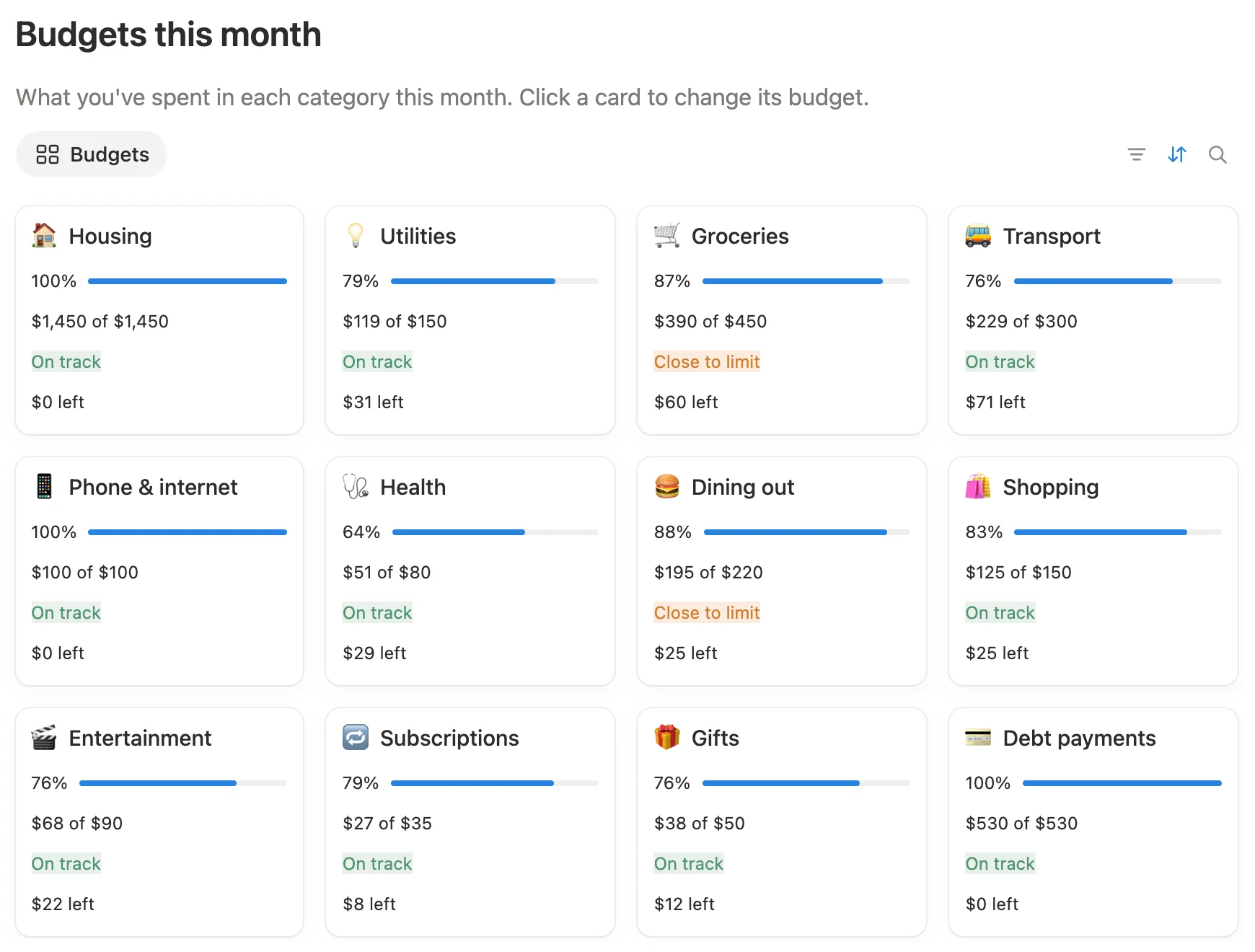
Twelve categories, each with what you’ve spent, what’s left and a status: On track, Close to limit from 85%, or Over budget. Every month starts again from zero.

Add what you spend in seconds. Your budgets, bills and goals update on their own.
$12 One-time paymentInstant access

Magnet Creative Recommended Creator on Notion



Quick add
Dining out
88%
$195 of $220
Close to limit
$25 left
October 2026
Spent $3,322
Left to spend $283
Recent transactions
Quick add, the budget cards, bills, savings goals and debts, all in the real template.

Before building it, we opened the most popular Notion budget templates, used them, and read what their buyers wrote. These are the things we set out to get right.
An expense counts in the month of its date. There’s no “current month” to switch, and nothing to set up when a new month starts.
Spending on your card counts when you spend. Paying the card off is a transfer, so the same money never counts twice.
No charts, so it runs in full on the free plan. Bars, rings and colored labels show where you stand.
Type your symbol in one place, like $, €, £ or ₺, and every amount in the tracker shows it.
We tested it the way you’ll get it: a fresh copy, every setup step and every button, from + Expense to Pay, Add money and Add payment. Anything that slowed us down, we fixed.
It all runs from one main page. Add a transaction with a button and it lands in the right month by its date. The cards on the page update from there.
Twelve categories, each with what you’ve spent, what’s left and a status: On track, Close to limit from 85%, or Over budget. Every month starts again from zero.
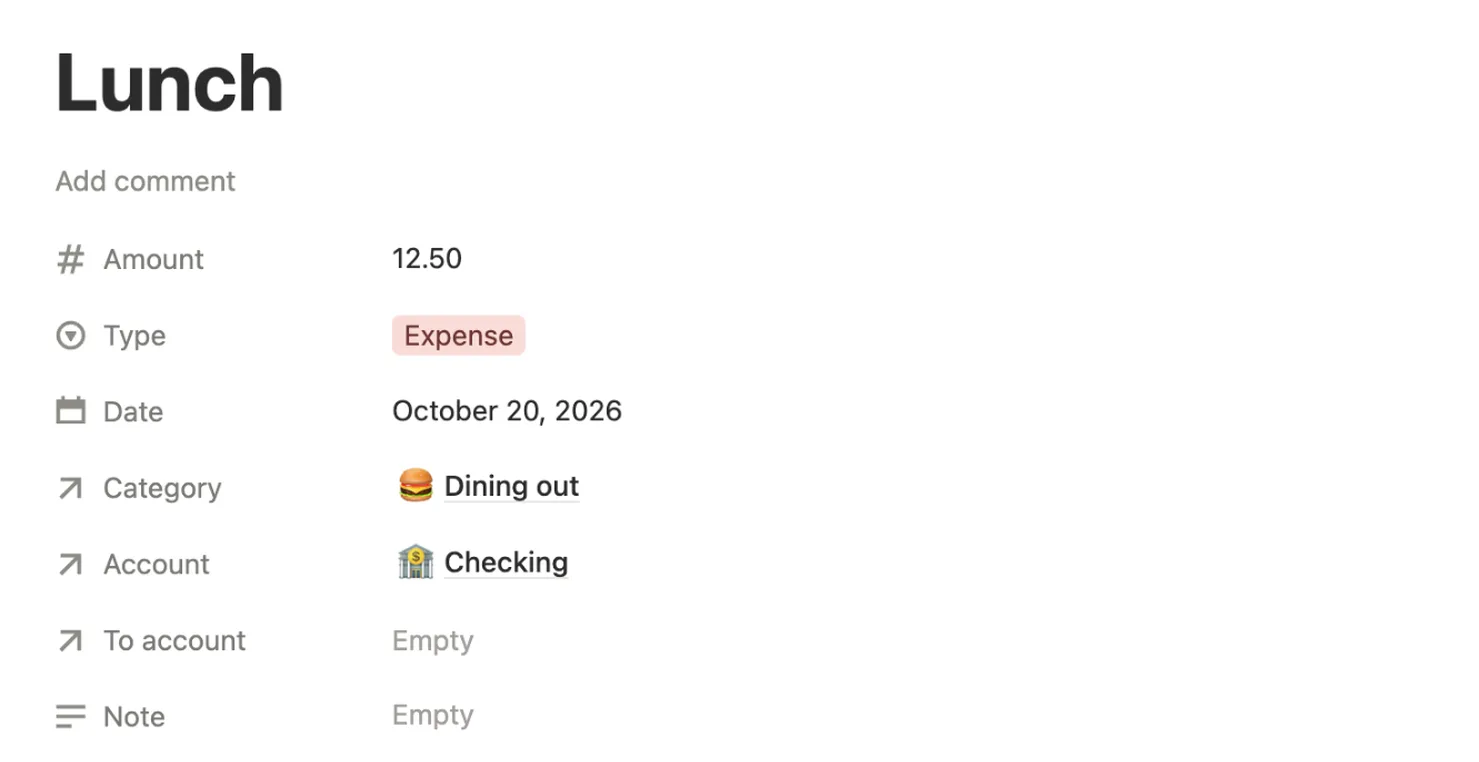
Click + Expense and a new expense opens with today’s date and your checking account filled in. Type a name and amount, pick a category, and close it.
A bill shows up a week before it’s due, with a countdown. Click Pay and the expense is added for you. The bill then moves to its next due date.

Each goal works out how much to put aside every month to reach it by its date. Click Add money and the transfer is logged for you.

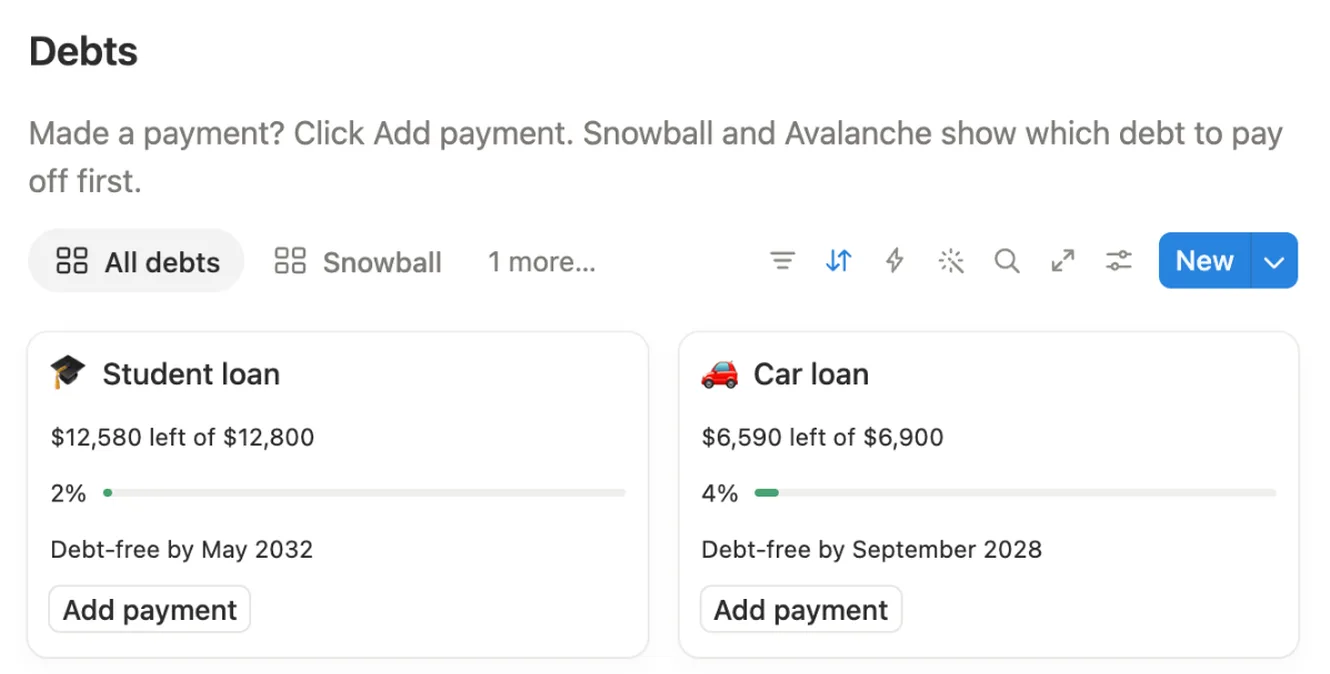
See what’s left on each loan and when you’ll be debt-free at your current payment. Snowball lists your debts from the smallest balance up, Avalanche from the highest interest rate down.
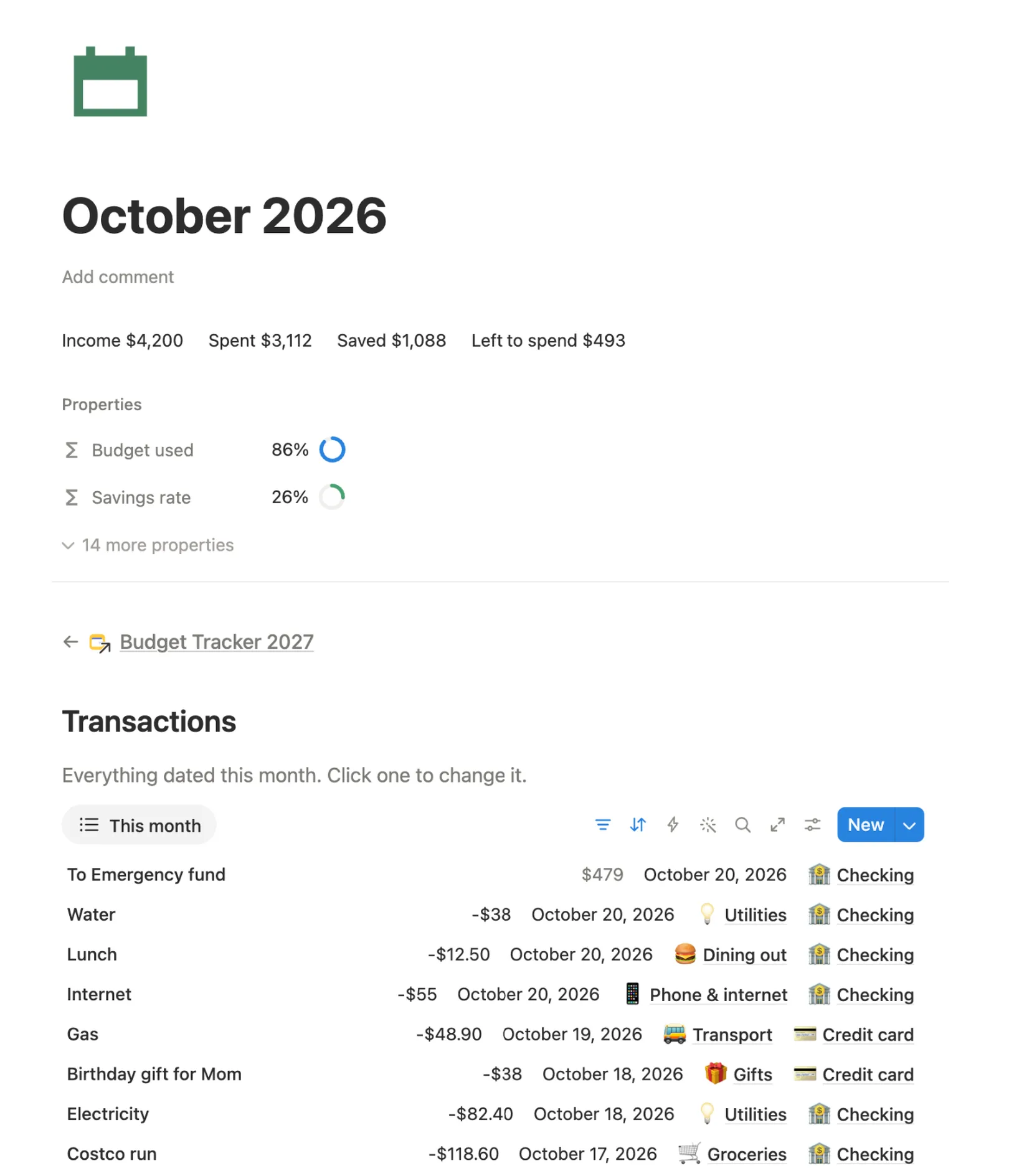
Each month gets its own page with income, spending, savings and every transaction, plus three short questions to answer when the month ends.
Rename them, change the budgets, or add your own.
Checking, savings, cash, credit card and investments, with balances that update as you go.
It covers October 2026 to December 2027. Your year begins when you clear the sample.
A full sample month to look around in. One button clears only the sample.
Every setup step inside your copy, with screenshots.
Bought something? Tap + Expense on your phone or computer, type the name and amount, and pick a category.
It counts in the month of its date. Your budget cards, balances and Left to spend update on their own.
A bill shows up under Bills due a week ahead. Click Pay when you’ve paid it.
When the month ends, open its page and answer three short questions. The next month starts from zero.
You do this once, and it’s easiest on a computer. After that, adding what you spend takes seconds on your phone.
Buy it on the Notion Marketplace and add it to your workspace when Notion asks. A free Notion account is enough.
Open Start here, click Clear sample data, then Clear them. The sample transactions and balances go. Your categories, budgets and bills stay.

Open My settings. Type your currency symbol and pick your Main account, the one you pay from most.

Click each account under Accounts and type its Initial balance, what’s in it today. For a credit card, type what you owe as a minus number.

Click a card under Budgets this month and set its Monthly budget and Group: Needs, Wants or Savings & debt.

Open Bills & subscriptions and add your bills with their amount and due day. When one is due, click Pay on its card.

Change the sample savings goals and debts to your own. Add money and Add payment log each one for you.

From now on, click + Expense whenever you spend. Type a name and amount, pick a category, and close it.

On your phone, add the main page to Favorites in the Notion app, so + Expense is always one tap away.
Yes. Nothing in it needs a paid plan, and there are no charts to hit the free plan’s limit.
No. You add each transaction yourself with the buttons on the main page. It takes a few seconds, and your numbers stay in your own Notion.
Yes. Type its symbol in My settings, like €, £ or ₺, and every amount shows it. It doesn’t convert between currencies, so use one currency for everything.
Yes. Setup is easiest on a computer. Then open the main page in the Notion app and tap + Expense. Add the page to Favorites to get there in one tap.
Add it under Accounts with what you owe as a minus number. Card purchases are expenses from that account. Paying the card off is a transfer from checking, so nothing counts twice.
Check that it has a Category and that its date is in this month. An expense counts in the month of its date.
No. It covers October 2026 to December 2027. Your year starts in the month you clear the sample data, and you can pick an earlier start in My settings.
The month pages run through December 2027. Everything you add stays in your copy after that, so you can look back on your year any time.
From the Notion Marketplace, Notion adds it to your workspace right away. From Etsy, you download a PDF with the template link, open it and click Duplicate.
Email us at hello@magnetcreativestudio.com with the template name and what you see, and we’ll help you get it working.
| Database | What it holds |
|---|---|
| Transactions | Every expense, income and transfer, with its amount, date, category and account. One list for all three types. |
| Categories | The 12 budget categories with their monthly budget, group and this month’s spending. |
| Accounts | Bank, savings, cash, credit card and investment accounts. Balance = initial balance, plus money in, minus money out. |
| Bills & subscriptions | Monthly and yearly bills with their next due date, days left and a Pay button. |
| Savings goals | Target, target date and what you’ve saved, fed by transfers from Add money. |
| Debts | Loans with their balance, interest rate, minimum payment and debt-free date. |
| Months | One page per month from October 2026 to December 2027 with its totals and month-end questions. |
| Settings | A single row, My settings, with your currency, main account and start date. |
Pay once, set it up in about 10 minutes and add your first expense. The budget cards do the math from there.
$12 One-time paymentInstant access
